
Every time the firmware on a field Arduino needed a change, it meant opening the Arduino IDE on a laptop, picking up a USB cable and walking over to the device. That is fine for one or two boards. With a mix of AVR, ESP32 and RP2040 sitting in different places, the round trip adds up quickly.
So we decided to turn a single Raspberry Pi into a shared uploader. Leave the Pi next to the equipment, connected over USB, and then upload sketches and watch serial logs from a browser — from a desk or from outside the building. That was the goal.
What came out of it is one FastAPI server wrapping arduino-cli that handles everything on the web: board
selection, compiling, flashing, the serial console, library management and VPN remote access. This post covers
the design, the implementation and the places we got stuck. (The whole thing was built in conversation with
Claude Code.)
Starting at the login — session cookie auth
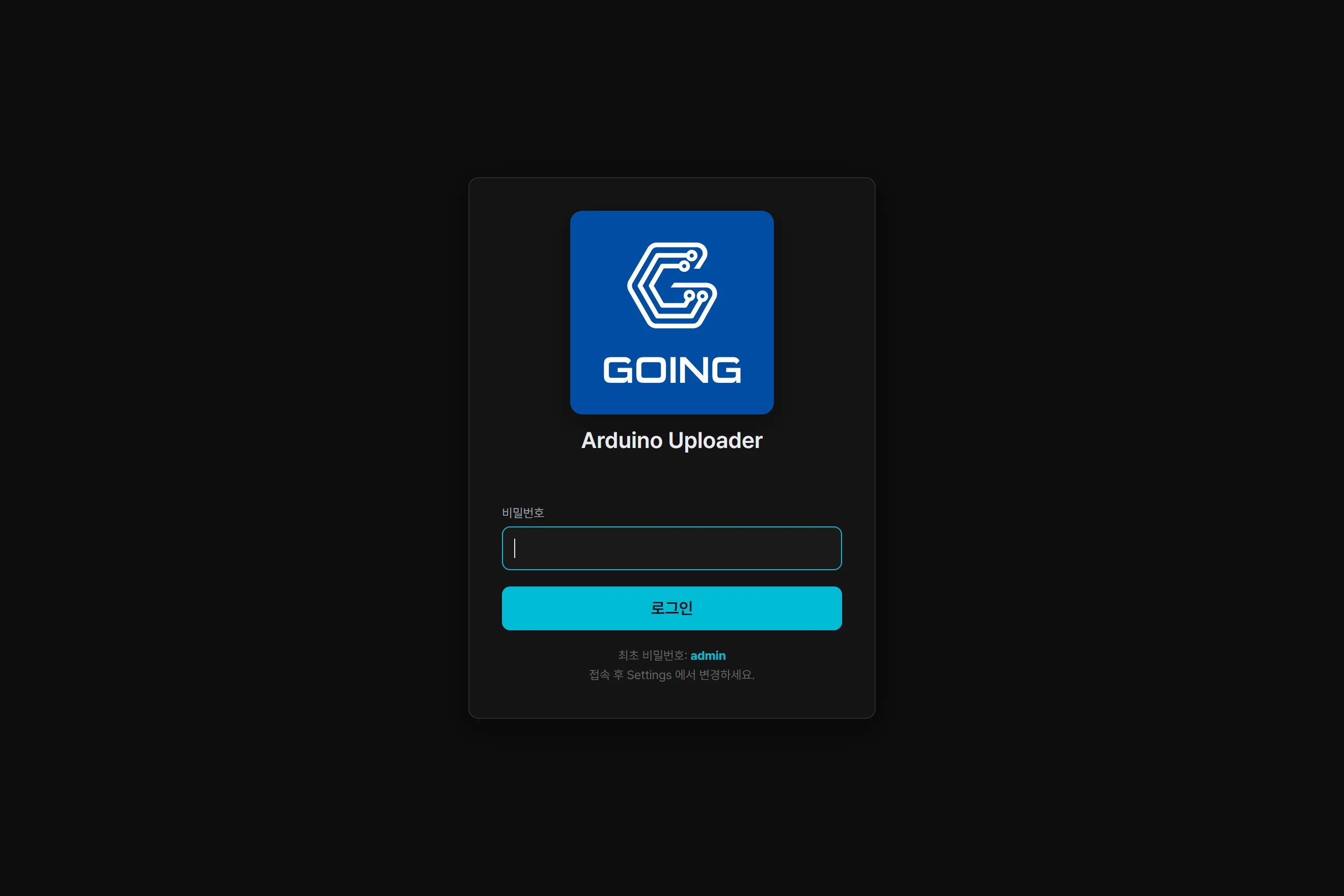
The web login screen is the same whether you come in over the LAN or through the VPN. The password starts at a factory default and is meant to be changed right after the first login. Before authentication is enabled, anyone on the LAN can connect; once a password is set, every page is locked behind a session cookie.
The main screen — compiling and flashing from the browser
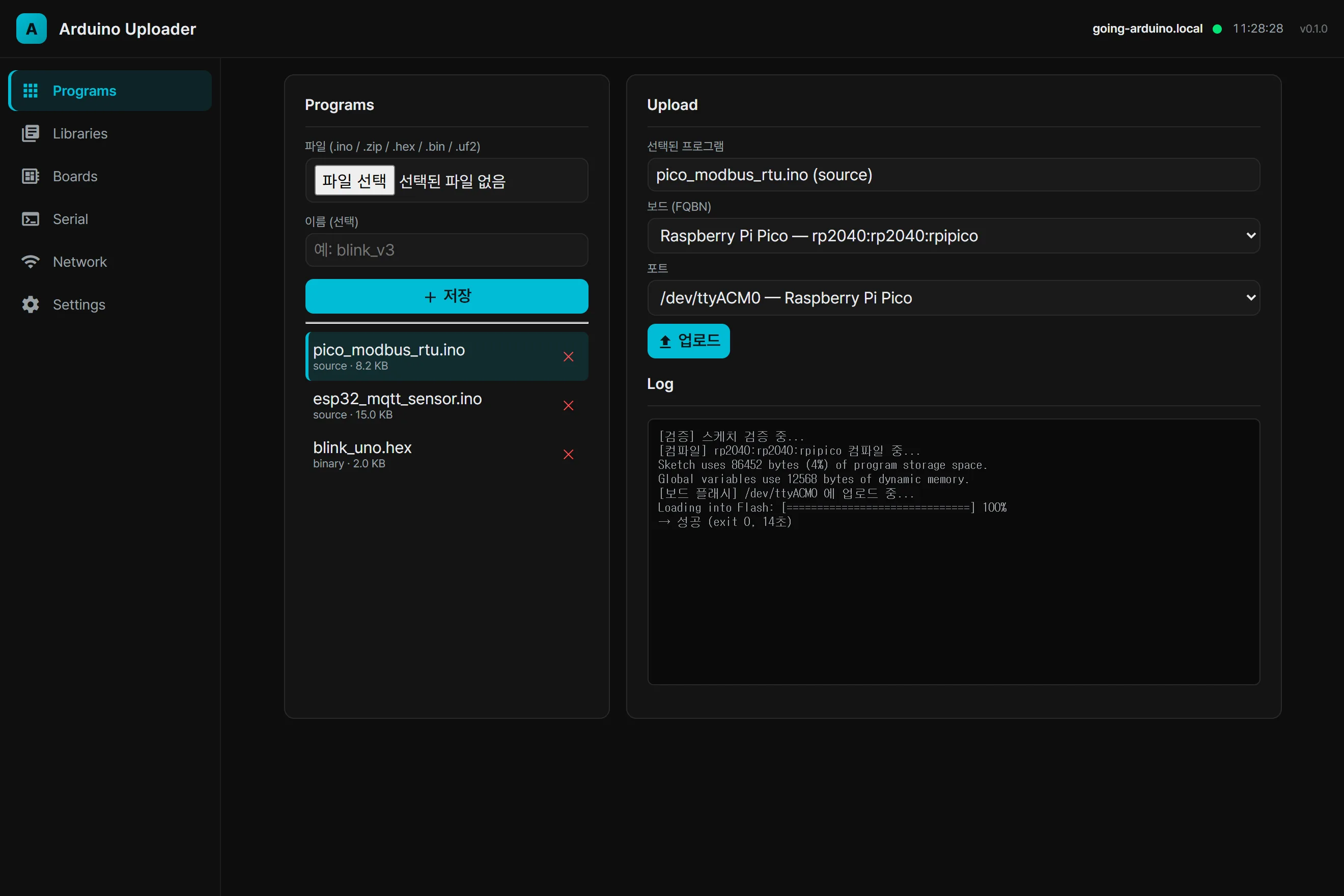
The firmware upload screen stores .ino/.zip sources or .hex/.bin/.uf2 binaries on the left; on the right you pick
a program, a board (FQBN) and a port and upload. Pressing upload streams the validate, compile and flash
steps out as a live log. Everything shows up as it happens, from the compile result
(Sketch uses ... bytes) to the flash progress and the exit code.
At first, pressing upload looked like it hung on “starting job”. The compile was actually running in the
background, but with nothing changing on screen it reads as frozen. So we added a stage label and an elapsed
time counter (Compiling… 12s elapsed) so “slow” and “stuck” look different. A small change that completely
alters how it feels.
Board cores and library management, like the IDE
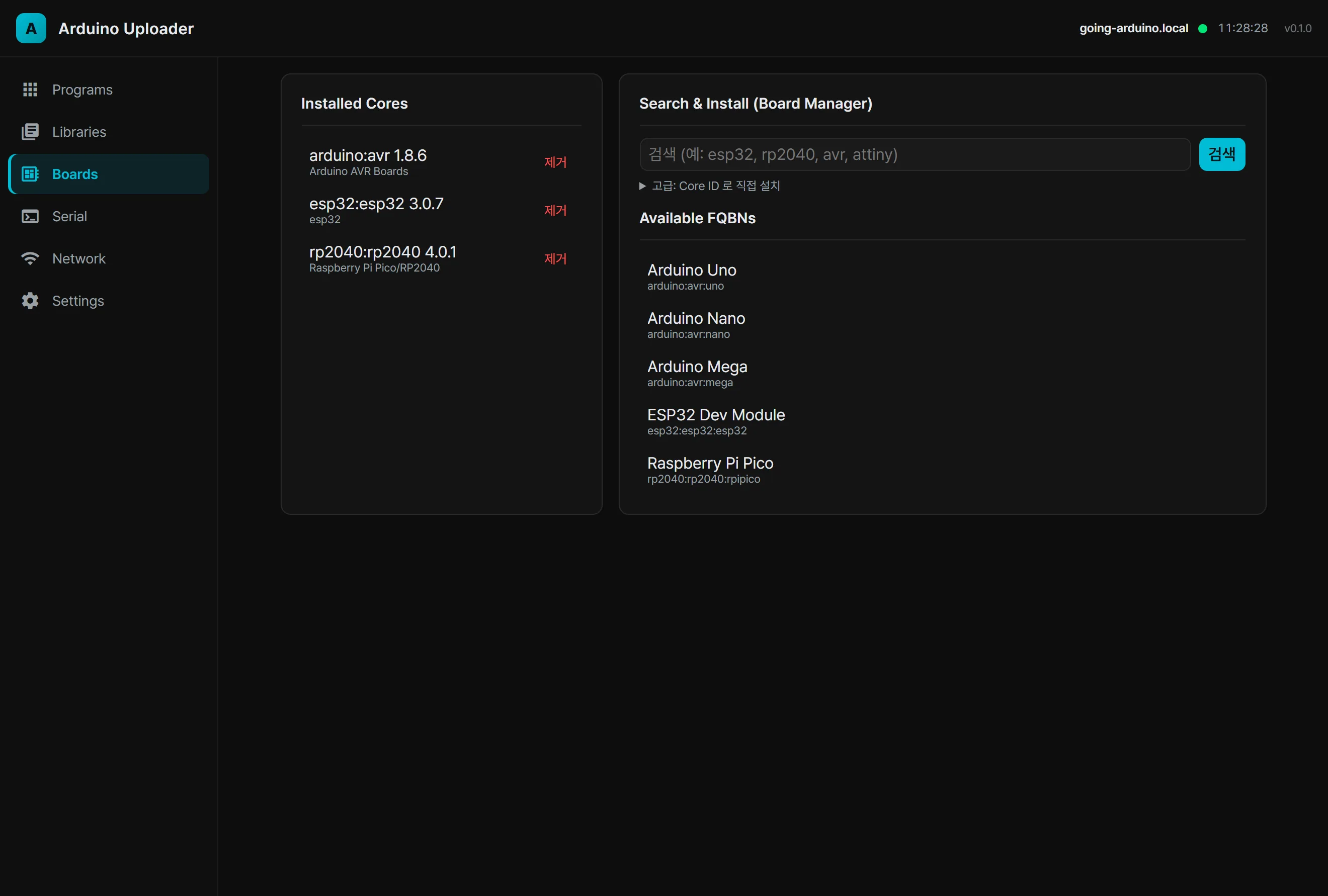
Board core management works just like the Arduino IDE’s board manager: you search for a core and install it. Once a core is installed, the boards belonging to it automatically populate the FQBN dropdown on the upload screen. AVR, ESP32, ESP8266 and RP2040 all work the same way.
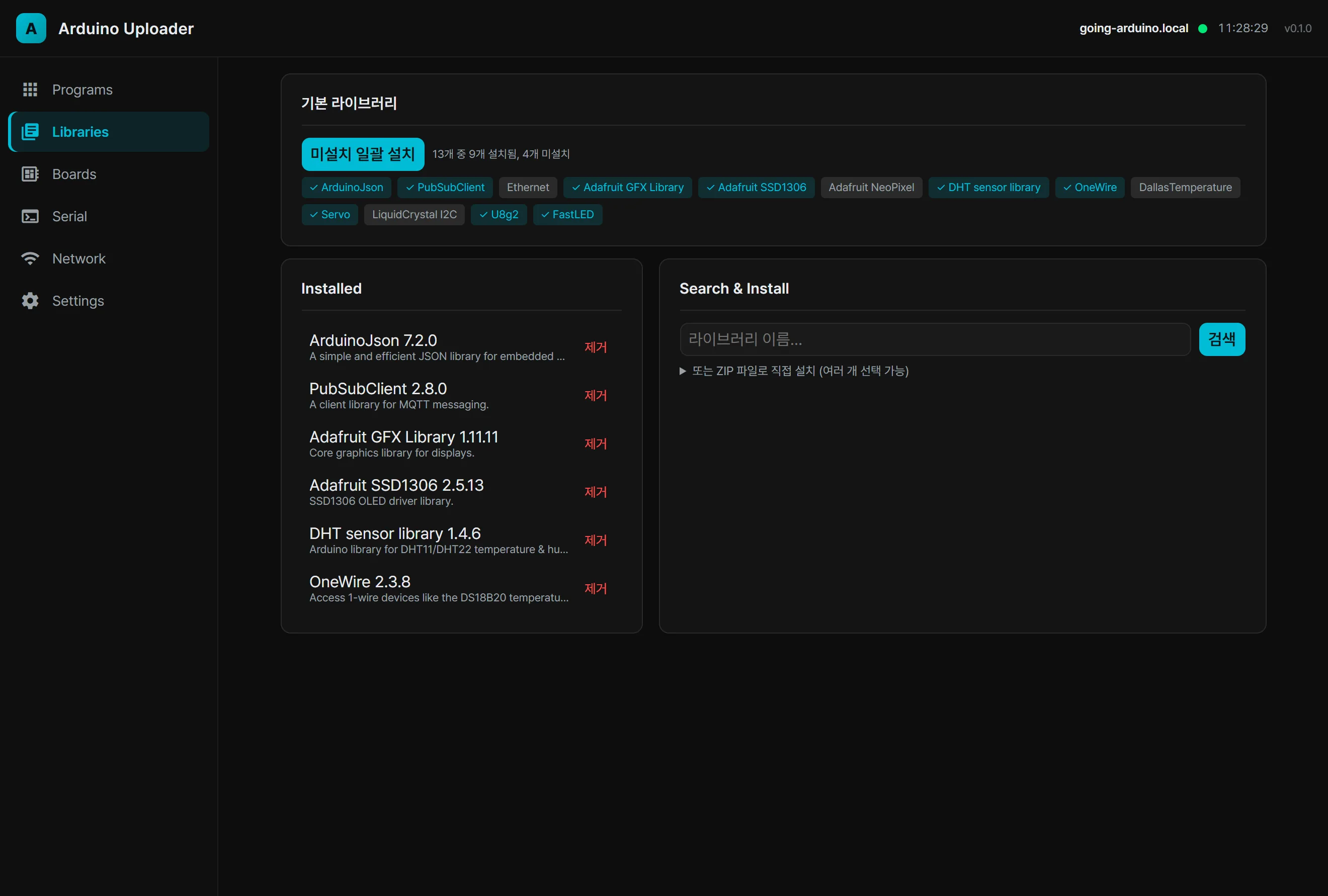
Libraries work the same. The 13 default libraries we reach for constantly (ArduinoJson, PubSubClient, Adafruit GFX, U8g2, FastLED and so on) install in one batch, and anything else is installed by searching for its name. In-house libraries that are not in the registry go in as a direct ZIP upload.
The web serial console — bidirectional over WebSocket
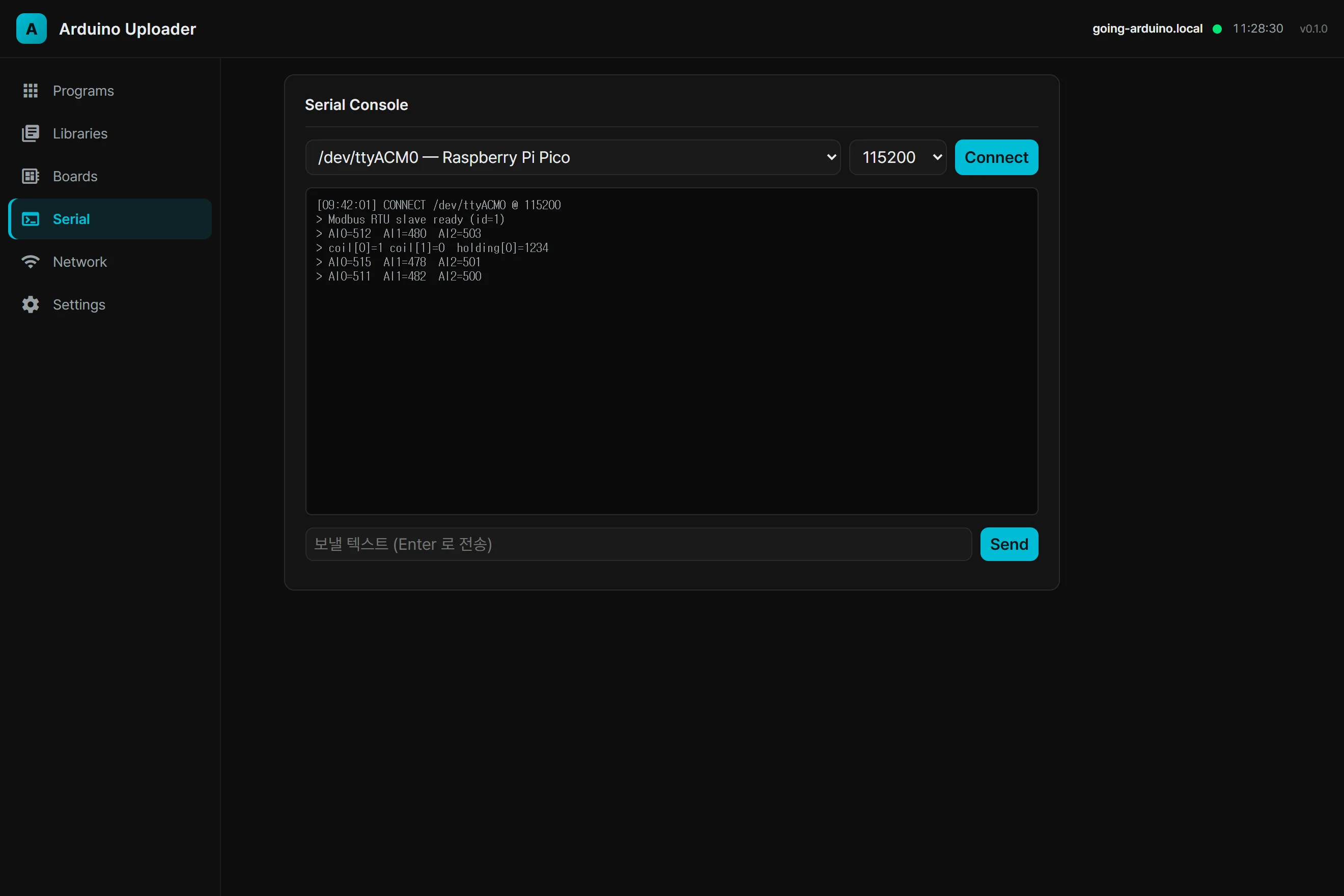
The serial console is what you need to check whether the uploaded firmware actually works. Pick the board’s port, hit Connect, and a bidirectional serial console opens over WebSocket. You watch the device’s log live and can send commands from the input field. Upload firmware, then confirm the behavior, all on one screen.
The system page — Raspberry Pi status and remote access
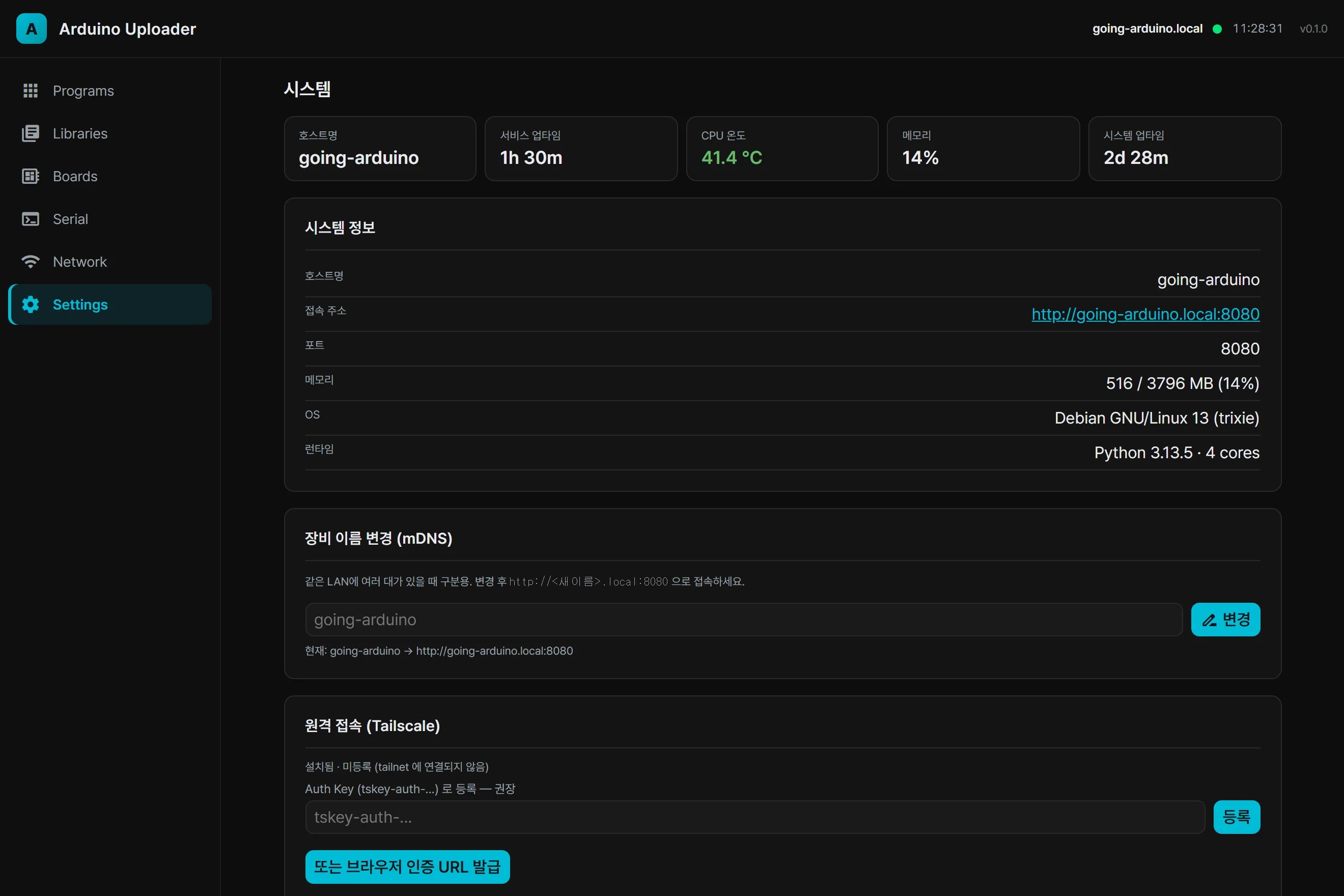
The state of the Raspberry Pi itself is visible in the same UI. CPU temperature, memory, uptime and the OS
and runtime versions appear as chips along the top, and changing the device name gives you an mDNS address
like going-arduino.local to connect to directly. No IP addresses to memorize.
Remote access runs over the Tailscale VPN. From outside you reach the same address as if you were on the office network, and if needed you can open public HTTPS through Funnel (that path forces a password to be set first, so nothing gets exposed unprotected).
The stack — FastAPI and arduino-cli
| Area | Choice | Role |
|---|---|---|
| Server | FastAPI + Uvicorn (Python 3.13) | REST and WebSocket |
| Build and flash | arduino-cli wrapper | Delegates cores, libraries, compiling and uploading |
| Job queue | Single-worker async queue with log files | Runs uploads and installs in order |
| Live updates | WebSocket (job logs / serial / devices) | Streams progress |
| Serial and devices | pyserial and pyudev | Port detection plus the bidirectional console |
| Remote | Tailscale and mDNS (avahi) | VPN access and *.local addresses |
| System | nmcli, hostnamectl, systemd | Wi-Fi, renaming, service control |
| Frontend | Vanilla HTML/CSS/JS (no build step) | Dark-theme SPA |
Design decisions worth explaining — arduino-cli delegation and least privilege
1) Delegate everything to arduino-cli
The board matrix (AVR/ESP32/ESP8266/RP2040) is not handled by us at all; we wrote a thin wrapper that hands
every operation to arduino-cli. That makes “supporting a new board” effectively installing one core. The
CLI also validates the compile and upload options, so the server only has to assemble commands and stream
output.
2) A port that disappears keeps its selection
When an RP2040 is flashed it reboots into BOOTSEL mode, and the serial port vanishes and comes back. If the dropdown selection resets at that moment, the upload breaks. So once a port has been selected (or auto- selected), we hold on to it through the disappearance and show “waiting to reconnect…”.
3) Normalizing ZIP libraries
arduino-cli refuses to install a ZIP with more than one folder at the top level. The library ZIPs passed
around internally are often shaped exactly that way, so on upload we automatically wrap the contents so the
top level is a single folder, which pushed the install success rate up.
4) Least-privilege sudo
System control (renaming, restarting the service, rebooting) needs root, but we did not want to hand the
service account blanket sudo. So sudoers grants passwordless access to exactly three commands —
hostnamectl set-hostname (rename the device), systemctl restart (restart the uploader service) and
reboot. Even the wildcards are restricted to a single name argument, leaving no room for arbitrary commands
to slip in.
We got burned once here. With NoNewPrivileges=true set on the systemd unit, privilege escalation itself is
blocked and all three sudo calls fail. It is a security option, so it went on without much thought — and we
learned it has to come off any unit that legitimately needs to escalate.
5) A UI that matches our other controllers
We matched the same dark theme, sidebar and card layout as the web admin UI of the in-house PLC controller we were already using (Going ZPI). Different device, same feel — and nothing new to learn.
Retrospective — what delegation and feedback changed
- The power of delegation. Handing the hard part (per-board compile and upload toggles) entirely to
arduino-clileft our own code as a thin layer of “assemble a command, stream it, manage files”. Adding support for another board costs almost nothing. - Showing progress is a feature. The same 14 seconds feels completely different as a blank screen versus a stage label with a running timer. The longer the operation, the more feedback equals trust.
- The trap of secure defaults. An option like
NoNewPrivilegesthat seems good to have on collides with privilege escalation. Security options are not unconditional either — they have to be chosen against what this particular service needs to do. - Working with AI makes retries cheap. One-line feedback like “the port changes halfway through” or “it looks stuck at job start” turned straight into the next patch. In work that is fundamentally iterative, the falling cost of each attempt was the biggest difference.
A Raspberry Pi with
arduino-cliand FastAPI fits the goal of “handle field equipment from a browser” well. Set one up and a firmware update stops being a walk to the machine and becomes a tab you open.
A thin layer delegating to arduino-cli and a screen that shows progress are what turned a firmware update from a walk to the machine into a tab you open.
Contact
- Email: [email protected]
- Instagram: https://www.instagram.com/going.sen/
- Website: https://intosen.com/kr/consult/
Comments
Enter a nickname to leave a comment, or sign in with Google or GitHub.