
The problem — registering an MCP server with Claude Desktop
Registering an MCP server was the problem. ZPi Controller exposes one, and to connect it to your own Claude Desktop you have to:
- download the MCP exe (101 MB, self-contained .NET),
- put it somewhere sensible,
- add a JSON entry to
claude_desktop_config.json, - restart Claude Desktop.
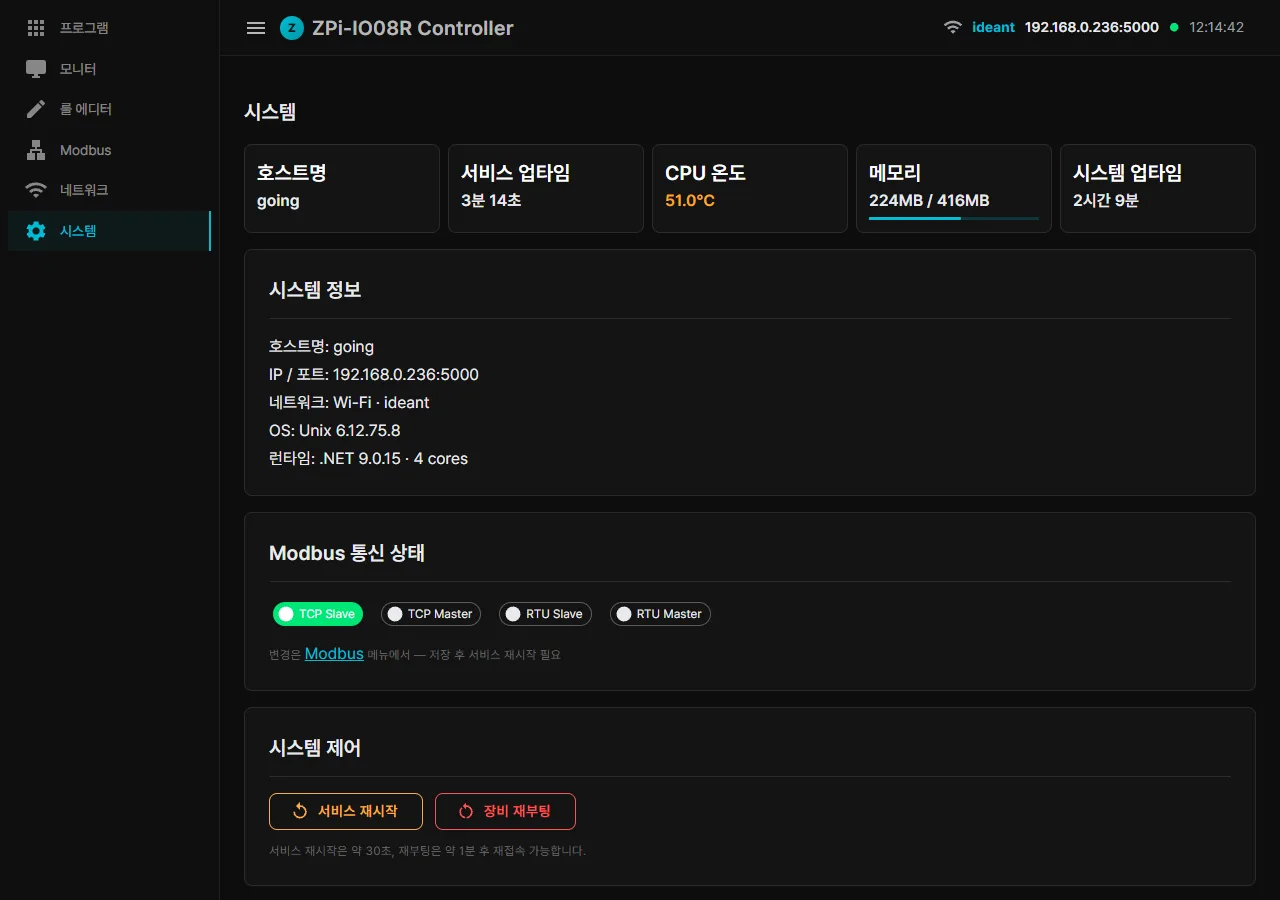
Someone who is not an engineer has to be able to do that. The target experience: system page → press [Install MCP (PC integration)] → the BAT downloads → double-click → done. That one line of UX took a surprising amount of work.
Attempt 1: a plain BAT — instant failure
@echo off
powershell -Command "Invoke-WebRequest http://192.168.0.x:5000/api/mcp/exe -OutFile '%LOCALAPPDATA%\Programs\ZpiController\ZPi.Controller.Mcp.exe'"
... (config patch)
echo 완료
pause
Failure 1: Korean messages saved in CP949 broke the cmd.exe parser outright, with an error along the lines of “. was unexpected at this time.”
The fix was to rewrite the whole BAT in ASCII English. Only the strings shown to the user at the end (the config-patch confirmation) stayed in Korean.
Failure 2: Download failed: the file is in use by another process. Claude Desktop already had the MCP exe open, so the overwrite was refused.
The fix was to add a step that terminates Claude Desktop and any running MCP process before downloading.
Failure 3: taskkill /IM Claude.exe /F also killed Claude Code. If the user ran the BAT from inside Claude Code, they killed their own session.
The fix was to branch on the process path and skip anything containing claude-code\:
Get-Process claude -EA 0 |
  Where-Object { $_.Path -and $_.Path -notmatch 'claude-code' } |
  Stop-Process -Force
Attempt 2: PowerShell escaping hell
PowerShell escaping is where patching the JSON with a single PowerShell line inside a BAT goes wrong:
powershell -Command "$exe='%EXE%'; $piHost='{host}'; ...
  $entry=[PSCustomObject]@{ command=$exe; args=@('--pi',$piHost) };
  if(...) { ... } else { ... }"
Inside PowerShell you escape a double quote as \", and a double quote that also has to survive the BAT layer becomes \\\". Worse, a parenthesised command such as if (...) sitting inside a BAT for block breaks parenthesis matching.
Symptom: PowerShell prints its output correctly, and then a cmd parser error appears afterwards. Tracking it down, the culprit was a message such as if errorlevel 1 ( echo Connecting to Pi (192.168.0.x)... ). — the parenthesis inside the message matched the one opening the if (...) block, the block closed early, and the leftover . was interpreted as a command.
The fix was to change every parenthesis (...) in a message to a bracket [...], and to replace the if errorlevel 1 (...) blocks with goto :err:
powershell ... -Command "..."
if errorlevel 1 goto :err_download
goto :ok
:err_download
echo *** Download failed.
pause & exit /b 1
:ok
...
Attempt 3: launching the Microsoft Store build of Claude Desktop
Restarting Claude Desktop automatically was the goal after installing the MCP server. With the regular installation, start "" "%LOCALAPPDATA%\Programs\Claude\Claude.exe" is clean. But the user in question had the Microsoft Store build (C:\Program Files\WindowsApps\Claude_<version>_x64__pzs8sxrjxfjjc\app\Claude.exe).
A Store app cannot be launched by exe path. You need the shell: URI from the AppX manifest:
shell:AppsFolder\Claude_pzs8sxrjxfjjc!AppHow do you launch that from a BAT? There are several options.
| Attempt | Result |
|---|---|
Start-Process "shell:AppsFolder\..." | “The system cannot find the file specified” |
Start-Process explorer.exe "shell:AppsFolder\..." | The app launches, but an AppsFolder window opens with it |
start "" "shell:AppsFolder\..." | “Cannot be found” |
ProcessStartInfo.UseShellExecute=true | Works well, but the Korean escaping breaks |
After too many variations, the conclusion was to drop the automatic launch entirely. Telling the user to click Claude in the Start menu turned out to be the most reliable option by a wide margin:
echo [5/5] Finishing up...
echo       Please restart Claude Desktop manually:
echo         1. Open Start Menu [Win key]
echo         2. Type Claude and press Enter
echo       The MCP entry will be loaded on next startup.
Sometimes letting go of the urge to automate is the right answer. One manual click beats automation that fails in five different environments.
Injecting the MCP token automatically
MCP token authentication is what lets the MCP exe call the ZPi API, since nobody is going to memorise the operator password. Each Pi generates a 32-byte random token on first boot and stores it in mcp-token.txt with 0600 permissions. The BAT picks that token up and writes it into the args of the Claude config:
{
  "mcpServers": {
    "going-zpi-XXX": {
      "command": "C:\\Users\\<you>\\AppData\\Local\\Programs\\ZpiController\\ZPi.Controller.Mcp.exe",
      "args": ["--pi", "going-zpi-XXX.local", "--token", "<your-token>"]
    }
  }
}
The MCP exe adds an X-MCP-Token header to every HTTP request, and the auth gate on the Pi lets that token through without a cookie.
The SKIP_DOWNLOAD optimisation
Skipping the re-download matters because running the BAT again on a PC that already has everything installed pulls 101 MB a second time. Annoying. So:
echo [3/5] Installing MCP server...
set "SKIP_DOWNLOAD=0"
if exist "%EXE%" (
    for %%I in ("%EXE%") do (
        if %%~zI GTR 52428800 set "SKIP_DOWNLOAD=1"
    )
)
if "%SKIP_DOWNLOAD%" == "1" (
    echo       Already installed - skipping download.
    goto :download_done
)
echo       Downloading [~101 MB]...
... powershell Invoke-WebRequest ...
:download_done
If an exe larger than 50 MB is already there, the download is skipped. From the second run onward only the token reissue and the config patch happen, and that finishes in one or two seconds.
Supporting multiple devices — a per-hostname MCP key
The MCP key in the Claude config was originally hard-coded as "zpi-controller". The consequence: run the BAT on one PC and you get zpi-controller: --pi 192.168.0.x; run another ZPi BAT on the same PC and the same key is overwritten, so the first registration disappears.
The fix is to derive the key from the hostname. The BAT generated by board A (going-zpi-AAA) uses going-zpi-AAA, and the BAT from board B (going-zpi-BBB) uses going-zpi-BBB. Both stay registered in Claude and the tool names are prefixed automatically (mcp__going-zpi-AAA__plc_set_output, mcp__going-zpi-BBB__plc_set_output).
// Software/Program.cs - install.bat generator
var entryKey = host.EndsWith(".local")
    ? host[..^6]                      // "going-zpi-XXX.local" → "going-zpi-XXX"
    : host;
var safeEntryKey = Regex.Replace(entryKey, @"[^a-zA-Z0-9._\-]", "_");
The hostnames above (
going-zpi-AAA/going-zpi-BBB) are only an example of the pattern, which is derived automatically from the last octet of the IP address. Real boards each end up with a different number.
However many ZPi boards you have, they are all recognised automatically. Cleanup is automatic too: if an old zpi-controller key is present, the BAT deletes it and replaces it with the new per-hostname key.
Wrapping up — installer UX is the hard part
Installer UX was the hard part. Feature code takes a few days. Making it so that someone who is not an engineer installs everything with one double-click is a test of patience:
- Korean encoding (CP949 vs UTF-8 vs ASCII)
- cmd.exe parser traps (parenthesis matching, the stray
.command) - PowerShell and BAT escaping
- the different Claude Desktop installation variants on Windows (regular vs Microsoft Store)
- telling the user process apart from the Claude Code process
- token lifecycle, hostname changes, multiple devices
Every time we hit one of these it felt like there had to be a simpler way, and every time there was not. UX is the sum of a lot of small accumulated decisions.
A one-double-click install is the sum of small decisions that clear away encoding, parser, escaping and installation-variant traps one at a time.
What comes next in the series
- Part 4 — three gotchas we debugged (Modbus, mDNS, regex)
- Part 5 — WiFi auto-recovery and boot time from 1 min 31 s down to 33 s
Contact
- Email: [email protected]
- Instagram: https://www.instagram.com/going.sen/
- Website: https://intosen.com/kr/consult/
Comments
Enter a nickname to leave a comment, or sign in with Google or GitHub.