
When you build an industrial device on a Raspberry Pi, WiFi and boot time turn out to be surprisingly large issues. The user sees and feels both of them directly, so they decide the first impression.
Problem 1 — the WiFi credentials disappear
A lost NetworkManager profile is the symptom. Enter the WiFi password once and it connects fine. Reboot, and it does not connect: the profile is gone, or has reverted to a default.
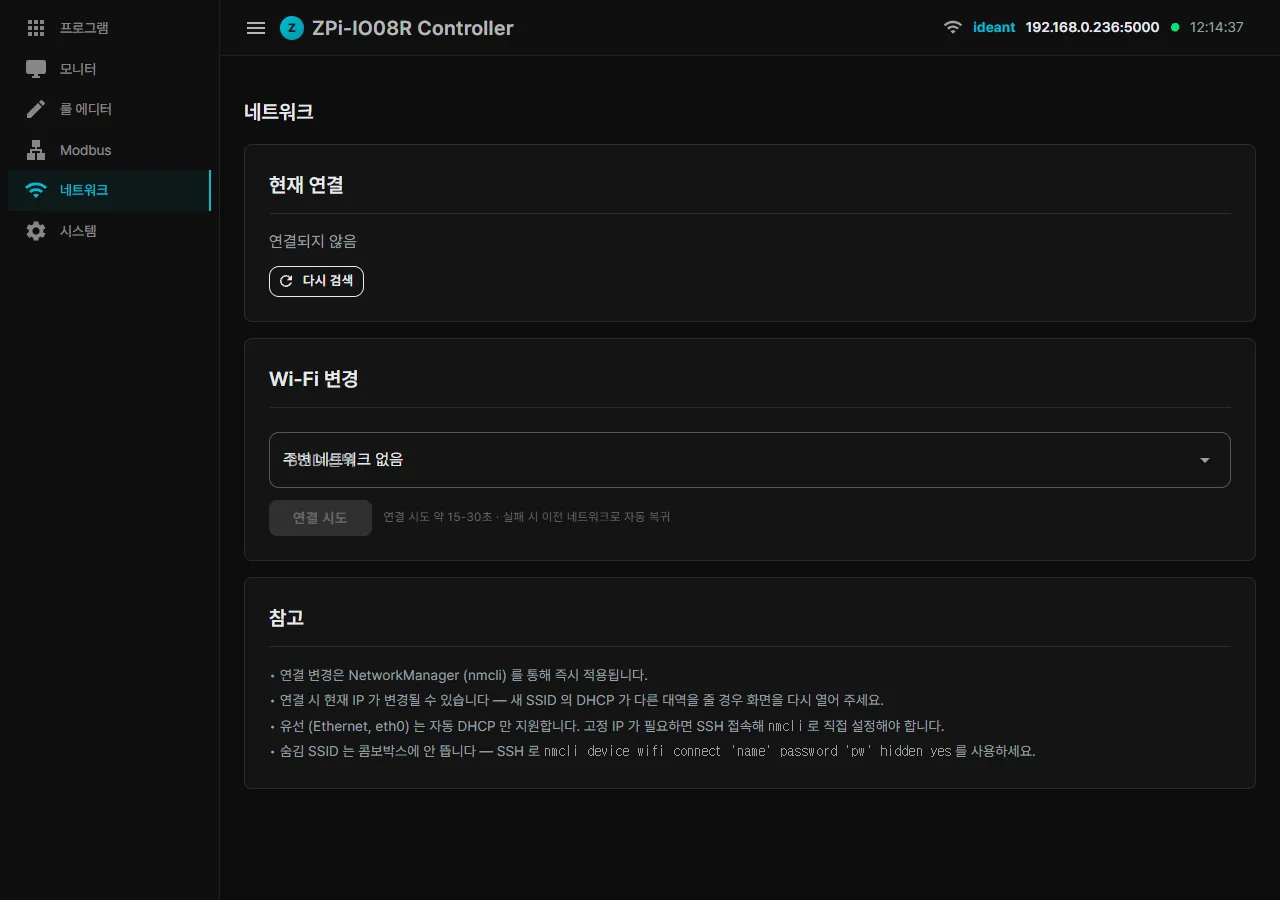
The causes vary.
- The NM profile is lost when the SD card is cloned.
- cloud-init wipes the NM configuration at boot.
- Permissions go wrong on
/etc/NetworkManager/system-connections. - A uniquify script used in production touches a field such as cloned-mac-address and breaks something.
NM disk persistence cannot be trusted on its own. We need our own backup.
Fix: a wifi-saved.json store of our own
// Software/System/WifiCredentialStore.cs
public sealed class WifiCredentialStore
{
    private readonly string _path;  // {ContentRoot}/wifi-saved.json

    public sealed record SavedNetwork(string Ssid, string? Password, DateTime SavedAt);

    public Store Save(string ssid, string? password)
    {
        var store = Load();
        store.Networks.RemoveAll(n => n.Ssid == ssid);
        store.Networks.Add(new SavedNetwork(ssid, password, DateTime.UtcNow));
        File.WriteAllText(_path, JsonSerializer.Serialize(store, JsonOpts));
        File.SetUnixFileMode(_path, UnixFileMode.UserRead | UnixFileMode.UserWrite);
        return store;
    }
}
WifiService writes into this store automatically whenever an nmcli connect succeeds. The file is plaintext, but with 0600 permissions only the owner can read it — and anyone with root access already has everything anyway.
Restoring at boot:
// On service startup (Program.cs)
_ = Task.Run(async () =>
{
    await Task.Delay(3000);  // let systemd + NM settle
    var wifi = app.Services.GetRequiredService<WifiService>();
    await wifi.RestoreSavedAsync();
});

// WifiService.RestoreSavedAsync
public async Task RestoreSavedAsync(CancellationToken ct = default)
{
    var saved = _store.Load();
    var (ok, list) = await RunAsync("nmcli", "-t -f NAME connection show");
    var existing = new HashSet<string>(/* parse list */);

    foreach (var n in saved.Networks)
    {
        if (existing.Contains(n.Ssid)) continue;  // NM already has it
        _log.LogInformation("WiFi restore: '{Ssid}' missing — re-registering", n.Ssid);
        await RunAsync("nmcli", $"device wifi connect \"{n.Ssid}\" password \"{n.Password}\"");
    }
}
It runs in the background three seconds after boot, so it never blocks the HTTP server. If NM already has the profile it skips (zero overhead). If the profile has vanished, it is re-registered from our backup.
First boot after flashing an image, a cloned SD card, a corrupted NM cache — from the user side, the device simply behaves as usual.
Problem 2 — a 1 min 31 s boot
The 1 min 31 s boot had its culprit named immediately by systemd-analyze blame:
1min 190ms NetworkManager-wait-online.service       ← one minute
    8.735s zpi-controller.service
    6.347s fstrim.service
    4.912s NetworkManager.service
    ...
NetworkManager-wait-online.service waits out its full 60-second timeout, fails, and only then lets boot continue.
Why? The device boots with WiFi unavailable, NM tries to autoconnect, everything fails, “online” is never reached, wait-online waits the full 60 seconds and finally gives up.
Any service waiting on network-online.target stalls for those 60 seconds too. zpi-controller.service had After=network-online.target, so it could not start any earlier than a minute in.
Fix — dropping the wait-online dependency on two fronts
1. Stop our service waiting on wait-online
# /etc/systemd/system/zpi-controller.service
[Unit]
Description=ZPi Controller Service
# changed: network-online.target → network.target
After=network.target NetworkManager.service
Wants=network.target NetworkManager.service
It now waits only for basic networking (network initialisation complete), not for actual internet reachability. Our service runs WifiService.RestoreSavedAsync() in the background and takes care of itself.
2. Mask the wait-online service itself
sudo systemctl disable NetworkManager-wait-online.service
sudo systemctl mask NetworkManager-wait-online.service
Masking symlinks it to /dev/null so systemd can never start it. Other services can still depend on network-online.target indirectly through Wants=, and the effect is the same in that case: the target is simply reached immediately.
Result
Before: 1min 31.88s (kernel 5.7s + userspace 1min 26s)
After : 33.39s     (kernel 5.5s + userspace 27.9s)
Sixty seconds saved. Reaching graphical.target came back down to a normal 27 seconds.
systemd-analyze blame looks healthy again:
8.293s zpi-controller.service       ← now the slowest item
4.938s NetworkManager.service
4.068s cloud-init-main.service
2.095s dev-mmcblk0p2.device
1.757s accounts-daemon.service
Problem 3 — mDNS does not advertise the new hostname
The avahi hostname advertisement is covered in part 4 of the series, on the three gotchas. The avahi-daemon reload does not pick up a hostname change, so we switched to restart and added self-verification afterwards.
Together — the first impression an operator gets
The first impression an operator gets comes out of the three together:
- First boot in 33 seconds, down from 1 min 31 s.
- Connect to WiFi once and it stays connected, even if the NM cache is destroyed.
- Change the hostname and
<new>.localis reachable immediately.
The difference in feel is large. A device that reboots quickly, keeps its network alive and applies a name change instantly simply inspires more confidence.
Bonus — automatic hostnames in production
Automatic production hostnames avoid collisions when several boards are built from the same SD image. The first boot names each one:
# scripts/zpi-uniquify.sh - triggered on the first production boot
IP=$(hostname -I | awk '{print $1}')
LAST_OCTET=$(echo "${IP:-0}" | awk -F'.' '{print $NF}')
NEW_HOST="going-zpi-${LAST_OCTET}"
hostnamectl set-hostname "$NEW_HOST"
The last octet of the IP address (LAST_OCTET) becomes the tail of the hostname. Boards on a 192.168.0.x subnet, for example, each become going-zpi-<last octet>.local, which distinguishes them naturally on the LAN and avoids mDNS collisions automatically.
Raspberry Pi industrial device setup, wrapped up
Building an industrial device on a Raspberry Pi with .NET comes down to four things:
- Back up WiFi credentials yourself; do not trust NM alone.
- Remove (or bypass) the dependency on wait-online.
- Make the hostname helper responsible for verification too.
- Name boards automatically in production.
Every one of these is a small change, but the feeling that a device “just works” comes out of exactly this kind of detail.
A device that boots fast and keeps its network alive earns its trust from exactly this kind of small detail.
What comes next in the series
- Part 6 — what comes next (MQTT, WebSocket, alarms)
Contact
- Email: [email protected]
- Instagram: https://www.instagram.com/going.sen/
- Website: https://intosen.com/kr/consult/
Comments
Enter a nickname to leave a comment, or sign in with Google or GitHub.