
The part of SENVAS Touch we built with web technology is the touch management launcher — the foundation layer that boots the device, deploys apps, and handles remote management. It is not the HMI itself (the control screen an operator works with), but the launcher and console that start and manage that HMI app. This post covers the web stack behind it.
The part that trips people up — the operator-facing HMI app is a separate program. Whether it is written in .NET, Node.js, Python, or as a native binary, the launcher brings it up full screen. The launcher and the management console are the web part; the HMI app runs on top of them.
What the management launcher does
The touch management launcher sits underneath everything on the device and handles this:
- Ready at power-on — it comes up full screen as the device boots, and either launches the user’s HMI app (if one is installed) or shows an information screen (if one is not).
- Web management console — open it in a browser to handle app deployment, monitoring, boot screen, fonts, network, and system settings.
- Remote management — the same console is reachable from across the internet.
That foundation layer is what we built as a web app.
Why the launcher is a web app
- Fast development — building and changing management screens goes quickly.
- A modern interface — familiar web components make for a clean management console.
- One technology for all of it — the on-site information screen, the web management console, and remote access are all the same web app.
The core stack — .NET 9 + Blazor Server
.NET 9 Blazor Server lets both the UI and the logic of the launcher be written in a single language, C#. Blazor Server on .NET 9 renders the UI on the server and exchanges updates with the browser in real time.
- Blazor Server — no heavy runtime is downloaded into the browser, so it stays light even on a small device like a Raspberry Pi.
- SignalR (WebSocket) — the server and browser stay connected bidirectionally in real time, so status and monitoring update instantly without a refresh.
- Kestrel — the web server built into .NET hosts the console directly on the device. There is no separate web server to install.
The launcher is web; the HMI app is not
The split between launcher and HMI app is the point. One launcher on the device wears three management faces and starts the user’s HMI app on top of them.
flowchart TD
    Launcher["Touch management launcher · .NET 9 Blazor Server · web"]
    Launcher --> Console["Web management console · PC, tablet, phone browser"]
    Launcher --> Welcome["On-site information screen · full-screen kiosk"]
    Launcher --> Remote["Remote access · from anywhere on the internet"]
    Launcher -. launches full screen .-> HMI["User HMI app (separate) · .NET · Node · Python · native"]
The management console, the information screen, and remote access are all the same web app: the launcher. The HMI app the operator actually works with is separate — whatever it is written in, the launcher brings it up full screen, and when it exits the information screen comes back.
Chromium kiosk — full screen, nothing else
Chromium kiosk mode is what the launcher opens at boot: a browser in full screen. No address bar, no buttons. If the user’s HMI app is running it owns the screen; if it is not, an information screen with the access address and device details comes up automatically, so an operator can jump straight into management from a phone.
MudBlazor — a modern component UI
MudBlazor components build the management console screens. Switches, tables, notifications, dialogs and the like come polished out of the box, which keeps the management screens both quick to build and visually consistent.
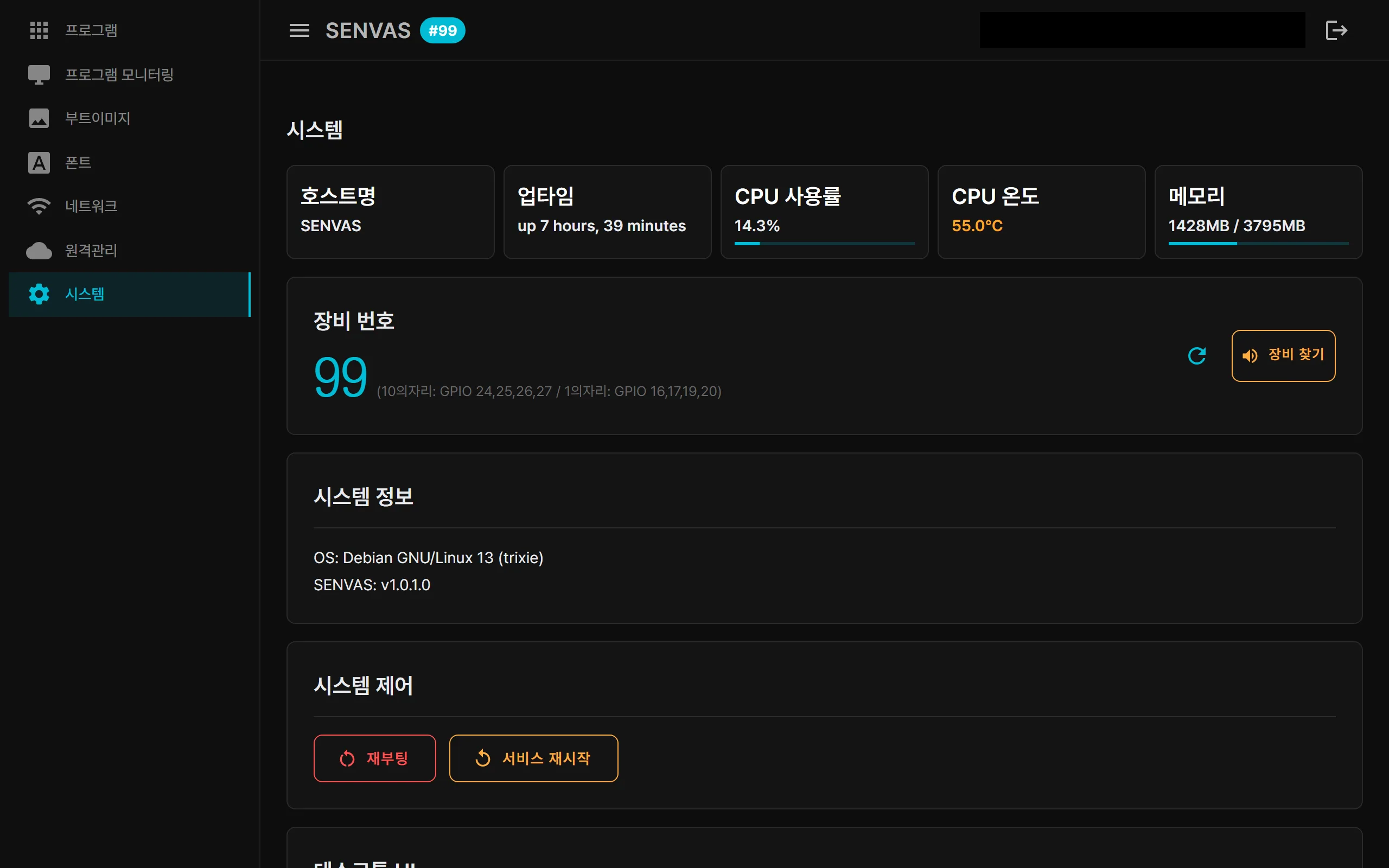 The web management console (the touch management launcher). Built with .NET Blazor Server and MudBlazor, with status updated live over SignalR. This is the management screen, not the HMI app. (Actual device screen capture.)
Touch management launcher web stack summary
| Technology | Role |
|---|---|
| .NET 9 Blazor Server | Launcher and console in one language, C#, with light server-side rendering |
| SignalR (WebSocket) | Real-time bidirectional updates — status without a refresh |
| Kestrel | Web server embedded in the device |
| Chromium kiosk | Full screen the moment it boots |
| MudBlazor | Modern console UI |
To say it once more: what we built with web technology is not the HMI, but the launcher and console that start and manage it. That is why adding or changing a management feature is quick. The VPN technology behind remote access is covered in our post on the VPN in SENVAS Touch.
One .NET 9 Blazor Server app covers the on-site information screen, the management console and remote access — that is the core of this launcher.
Contact
- Email: [email protected]
- Instagram: https://www.instagram.com/going.sen/
- Website: https://intosen.com/kr/consult/
Comments
Enter a nickname to leave a comment, or sign in with Google or GitHub.