
The Raspberry Pi PLC started as a question about how cheap an industrial controller can get. These seven posts cover ZPi Controller: a Raspberry Pi Zero 2 W, a 4-input/4-relay board, and .NET 9 with Blazor on top.
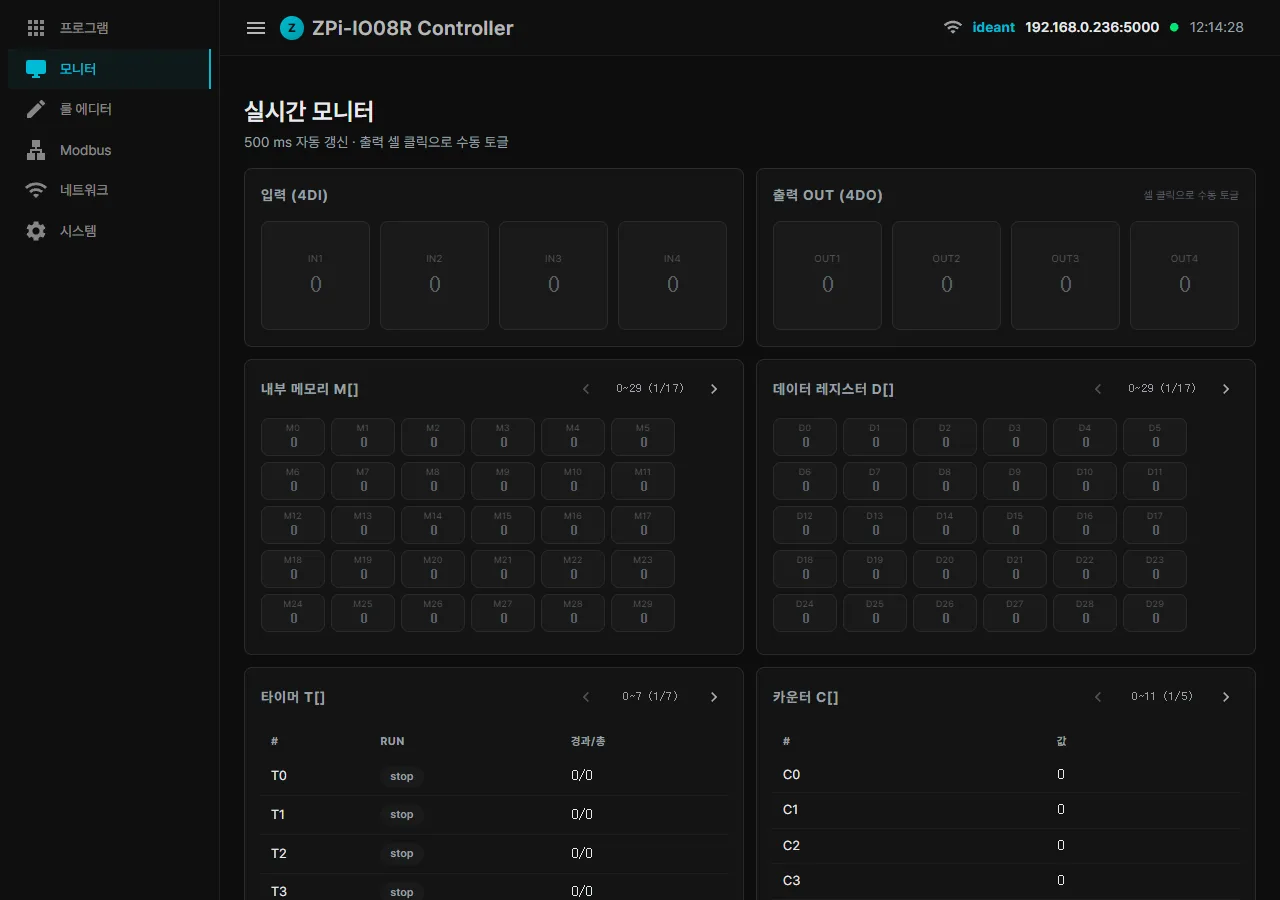
Modbus TCP/RTU slave and master, a rule editor you edit in a browser, a full-screen HMI built by conversation - all of it landed in v1. What actually took the time was one port number, one hostname, and a full minute of boot.
Building a PLC on a Raspberry Pi
The controller itself and the screen operators use, in two parts. Rules are edited in a browser; the HMI is written by conversation.
- Raspberry Pi PLC - Introducing ZPi Controller on a Pi Zero 2 W A Pi Zero 2 W and a 4-input/4-relay board carrying Modbus TCP/RTU, hosted user programs, and a rule editor that mixes a matrix, natural language, and Python.
- Raspberry Pi PLC HMI Generated by AI - ZView with Claude and MCP A full-screen HMI produced in conversation drives real GPIO the moment it is deployed, with the workflow living inside the MCP tool description.
Connecting it, tripping over it, fixing it
Wiring it to a PC, and the things that caught us in the field. The obvious-looking places took the longest.
- Raspberry Pi PLC MCP Setup - the One-Double-Click Claude Installer What it took to reduce setup to a single double-click: CP949 encoding, the cmd parser parenthesis trap, and PowerShell escaping.
- Raspberry Pi PLC Debugging - Modbus Port, mDNS Cache and Regex $1 A port number that took the web UI down in a restart loop, a hostname that would not change, and a replacement where $1 is swallowed as $15 - broken and fixed code side by side.
- Raspberry Pi PLC WiFi Recovery - Boot Time from 1 min 31 s to 33 s WiFi credentials restored from our own backup instead of NetworkManager’s, and boot cut to 33 seconds by dropping the wait-online dependency.
The next version, and one finished screen
The roadmap written while closing v1, plus one screen actually built in ZView.
- Raspberry Pi PLC Roadmap - MQTT, WebSocket and Alarms in ZPi v2 MQTT first, a WebSocket live monitor, alarms and notifications, and ZViews generated from a user program manifest, with effort estimates.
- Raspberry Pi PLC Modbus IO Monitor - a ZView HMI in One HTML Page One page of HTML showing an upstream master driving four outputs and reading four inputs back. The bit matrix catches byte swaps on sight.
What the Raspberry Pi PLC series comes down to
What decides a low-cost controller was never the rule engine. Every feature landed inside v1; the delays came from port numbers, hostnames, and boot time - the parts that look self-evident.
- Rules are edited in a browser, and the HMI screen is written by conversation
- Anything handed to a non-engineer has to install in a single double-click
- Port numbers, hostnames, and regex replacements are where the days go
- Boot time and automatic WiFi recovery are not features, they are the first impression
A controller is judged less by what it can do than by whether it puts itself back together within thirty seconds of power-on.
Contact
- Email: [email protected]
- Instagram: https://www.instagram.com/going.sen/
- Website: https://intosen.com/kr/consult/
Comments
Enter a nickname to leave a comment, or sign in with Google or GitHub.