
Everything works, and the screen presentation is boring
The cabinet was functionally complete by the end of Part 3. Pull the lever and beer fills the glass; hit a button and blackjack runs. But sitting and looking at the screen, something is missing. A screen that behaves correctly and a screen that is alive are different things. Half of an arcade machine is the fussy, over-the-top presentation.
So we spent an entire day on presentation.
A set of five HMI screen animations
HMI screen animation works because code can change control properties every frame, so nothing in the engine has to be extended. We added five at once.
- Verdict punch - PERFECT does not simply appear; it arrives 60% oversized and settles back into place. It feels like stamping paper.
- Near-target flash - once the level enters ±5% of the target line, the target line starts blinking. It is the “let go now!” signal, and it created a stretch that makes your palms sweat.
- Score count-up - the final score rolls up from zero, with easing that decelerates at the end. While the number is rolling, everyone watches the screen.
- Foam - a cream-colored head swells above the surface while you pour and slowly settles when you close the tap. Half of beer is foam, after all.
- Stream burst - the moment the valve opens, a stream shoots down from the spout, and while you pour, two sine waves at different frequencies mix to make it surge. No mechanical repetition in the motion.
All of it runs inside the existing performance rule: assign only on the frames where the value changed.
A pub background drawn in code
The pub background was reworked too. Dark wood paneling, bottles on shelves left and right, three pendant lamps from the ceiling, and a bar counter running across the bottom of the screen. The beer mug now sits on a counter rather than in mid-air.
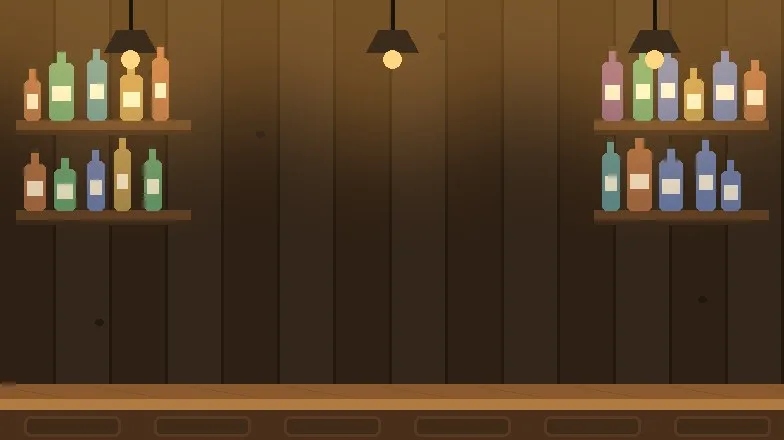
This background was drawn in code, not in an image editor. Plank width, bottle placement (seeded random), lamp glow, and vignette are all script parameters, so “add one more lamp” is a one-line change.
Character code drawing trouble - the fall of four geometric bears
The original Root Bear has a bear customer who watches you pour. We decided to add one too: a character whose expression changes with the pour. Eyes sparkle as you approach the target, sweat appears when you overflow, and it laughs or cries at the verdict.
The problem was the artwork. We started assembling a bear out of shapes in code, and…
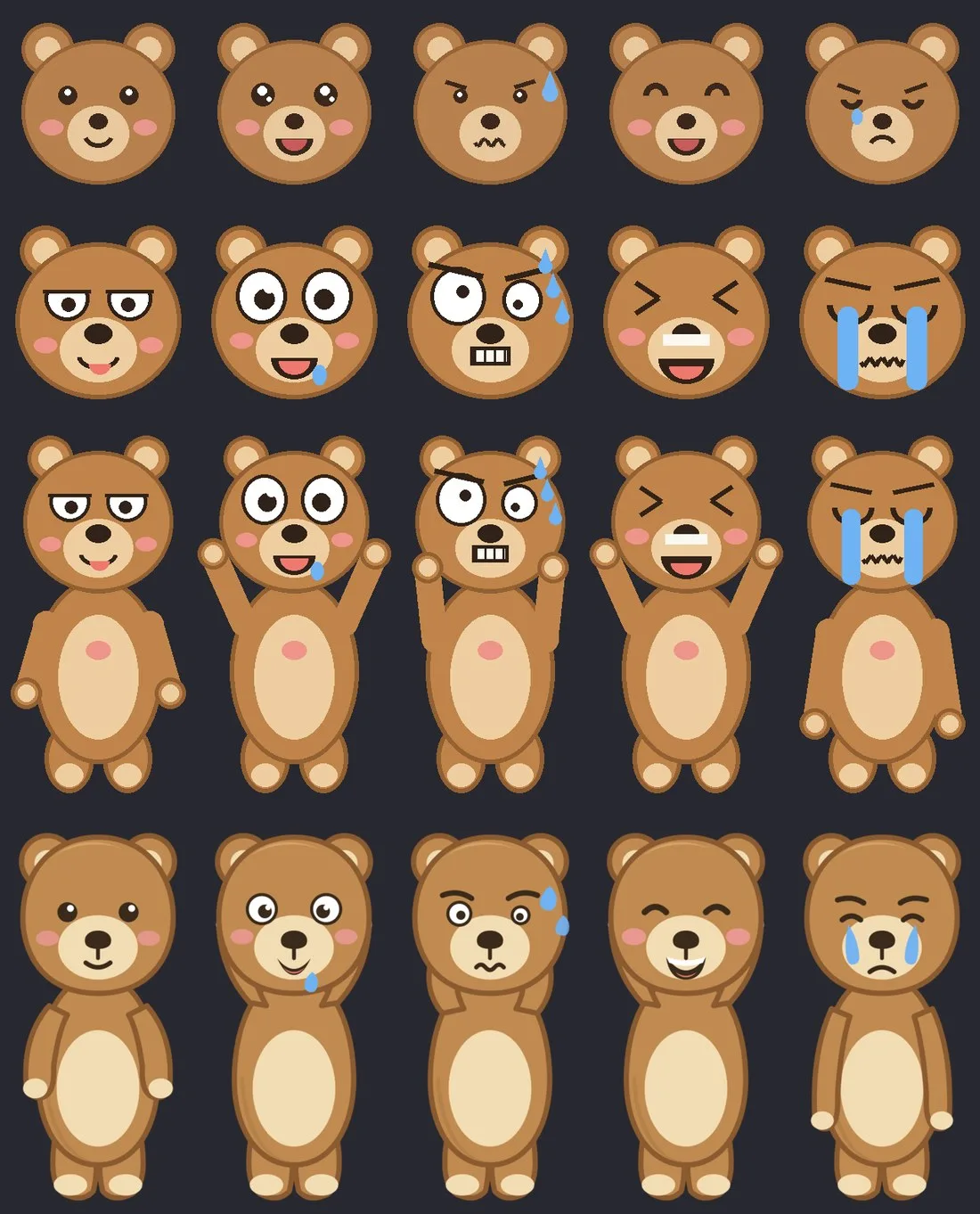
We redrew it four times. Flat-shape bear, big-eyed comic bear, full-body bear, Bezier-curve bear. Each version was better than the last, but the review never changed.
“That is just a character forced together out of shapes.”
Fair. No matter how carefully you stack circles, rectangles, and curves, you do not get an illustration. We shelved the bear, switched the concept to a bartender (it is a pub, after all), and drew it once more in SVG -
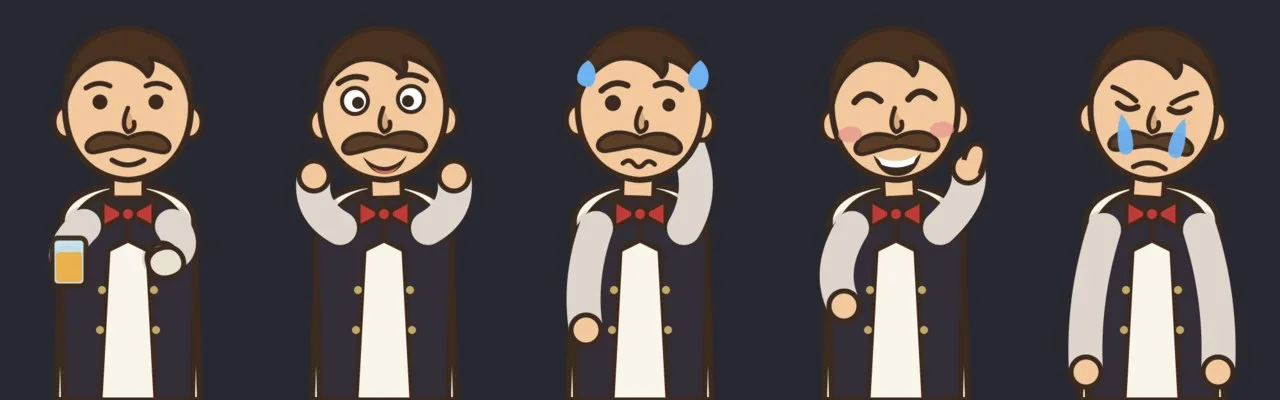
- still a person made of shapes. It was time to admit the limits of code drawing.
An AI opened a browser and commissioned illustrations from a generative AI
Here comes the strangest scene in this project. The AI that had been building the screen opened Chrome itself and asked Gemini for a drawing.
The key to the prompt was “draw five expressions of the same character on one sheet.” Generating them separately makes the character drift each time; asking for a single sprite sheet guarantees consistency for free. Downloading the source, stripping the background automatically, cutting it into five pieces, and dropping it into the game were all handled too. The human contribution was “yeah, that works.”
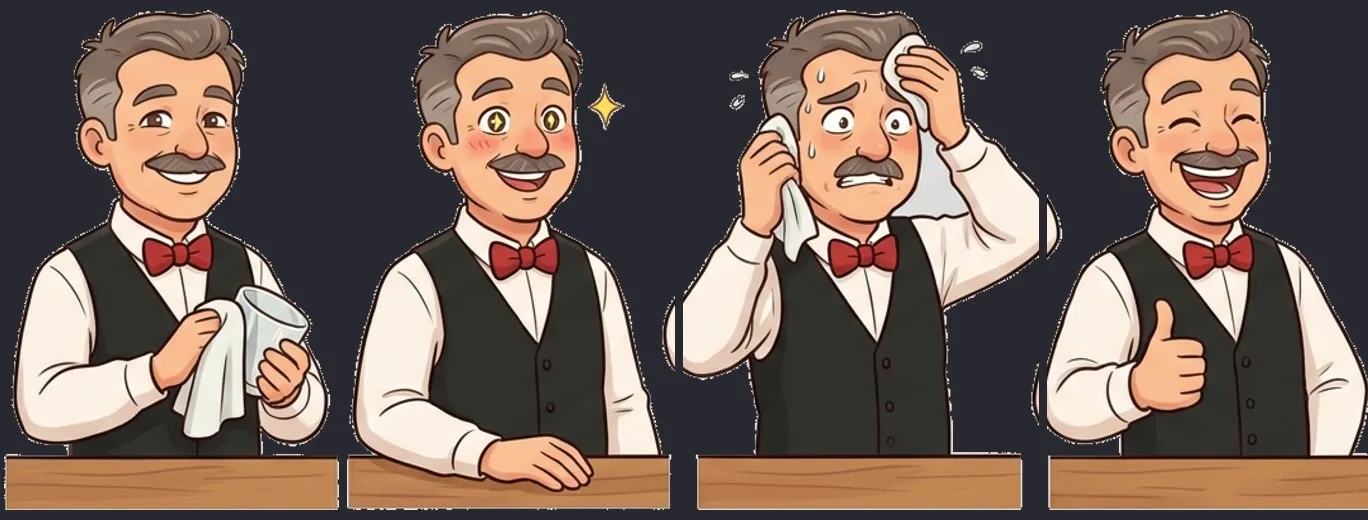
The bartender sprite pulled as a single sheet. From the left: polishing a glass (idle), sparkling eyes (near target), sweating (overflow), thumbs up (success). The crestfallen face for failure appears in the gameplay screen below.
A mustachioed bartender leans out from behind the bar counter and watches you pour. His eyes sparkle (✦) as you approach the target, he mops sweat with a towel when you overflow, he gives a thumbs up on success, and he droops with a single tear when you blow it.
Here is how it looks in play. He polishes a glass and watches out of the corner of his eye while you pour -
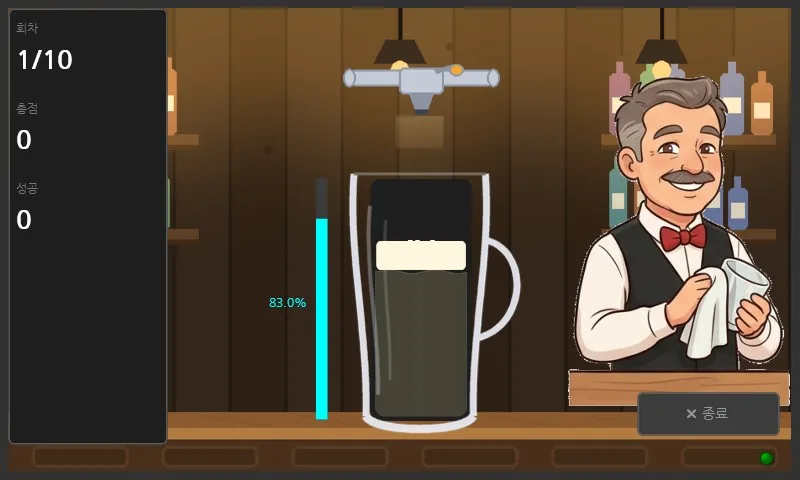
and the moment BAD appears, he cries with you.
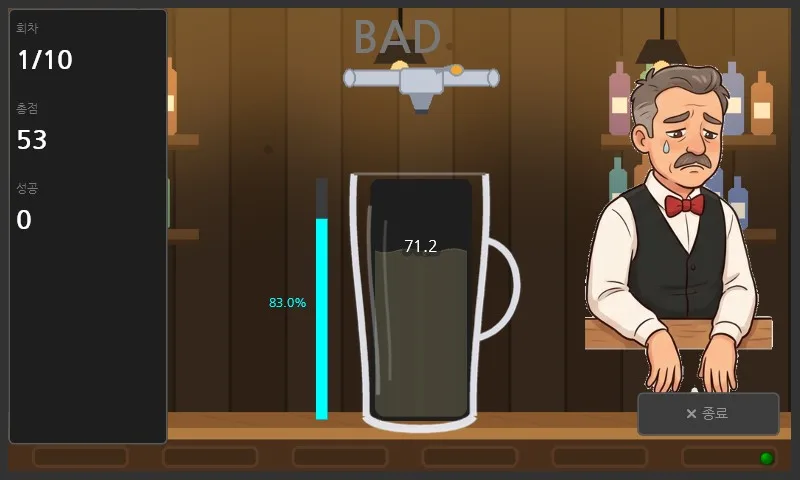
Rest in peace, four geometric bears. Your sacrifice completed the workflow.
While we were at it, the title and blackjack backgrounds too
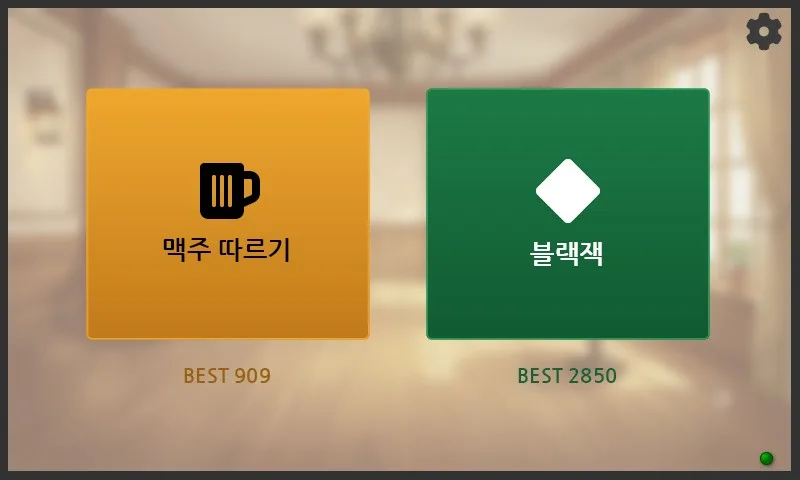
The remaining backgrounds came out of the same Gemini conversation. The title is a sunlit lounge (with blur and a cream veil so the UI pops forward), and blackjack is a casino hall with a chandelier and slot machine silhouettes. Each of the three screens now has its own atmosphere.
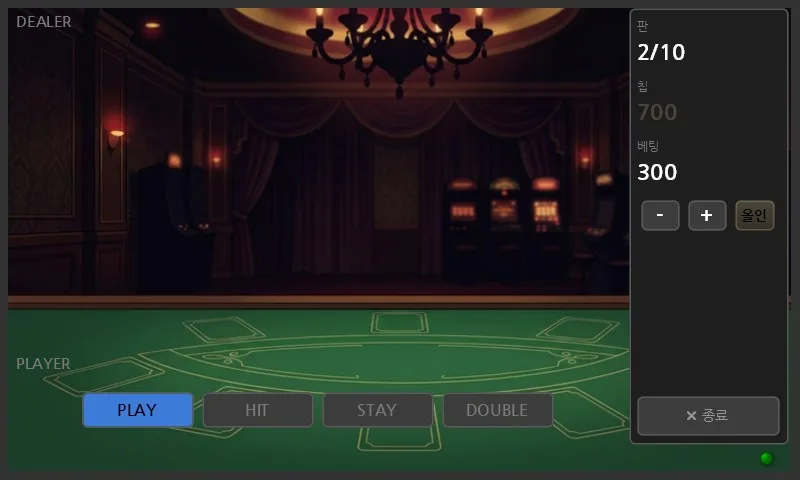
The betting screen. No cards are down yet, so the background shows through - chandelier, curtains, slot machine silhouettes at the back. The lower half is felt table.
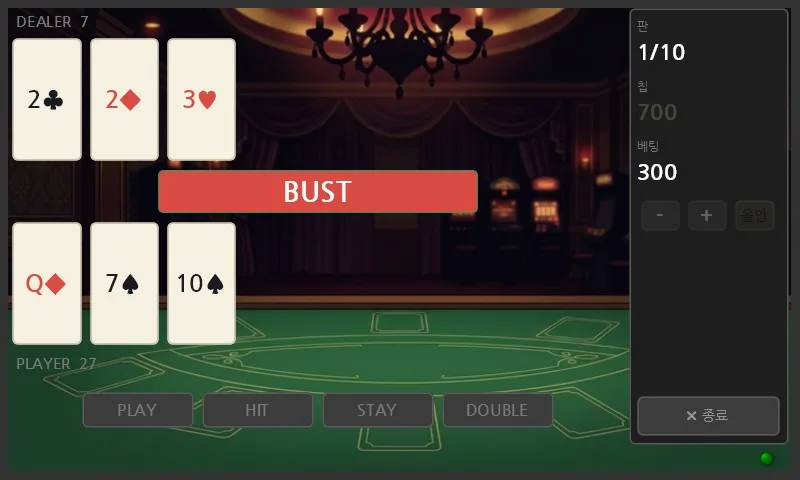
Once the round starts, cards are laid over it. The color badges from Part 3 are unchanged (BUST = red).
An aside. We also generated a dealer character for blackjack - a sharp-featured, arms-folded, thoroughly annoying friend who flinched when we won and smirked when we lost - but standing him on the screen put him in a turf war with the cards, so he was cut at the end. Generation takes a few minutes, which makes trying and discarding painless. That is the real power of this workflow.
Recap: screen presentation and the AI illustration workflow
- Presentation is not decoration on top of function; it is half the game. Same logic, and one patch of foam or one blink changes the feel entirely.
- Different tools are good at different things. Geometric artwork like a background is faster in code; organic artwork like a character is overwhelmingly better from a generative model. It took four attempts before we admitted it.
- AI using AI is now a workflow. An agent driving a browser, subcontracting to a generative model, post-processing the result, and dropping it into the product is a pipeline that runs on a few lines of conversation.
Geometric backgrounds in code, organic characters from a generative model - splitting the work by tool is the conclusion of this chapter.
Next up
The screen is alive, so the hardware is next. Redeploying to the touch panel, assembling the 3D-printed button enclosure, and the ERM vibration lever - when the hardware under your fingers meets this screen, the series is complete.
Coming in Part 5 (finale): a trembling lever, two wrong theories, and the measurement that finally won.
Earlier chapters: Part 1, Part 2, and Part 3.
Contact
- Email: [email protected]
- Instagram: https://www.instagram.com/going.sen/
- Website: https://intosen.com/kr/consult/
Comments
Enter a nickname to leave a comment, or sign in with Google or GitHub.