
We put a running-horse animation on the RP2350 Touch LCD 3.5 and its ST7796 panel. Rather than playing a video, it cycles quickly through three PNG images with different poses and redraws only the region where the horse moves.
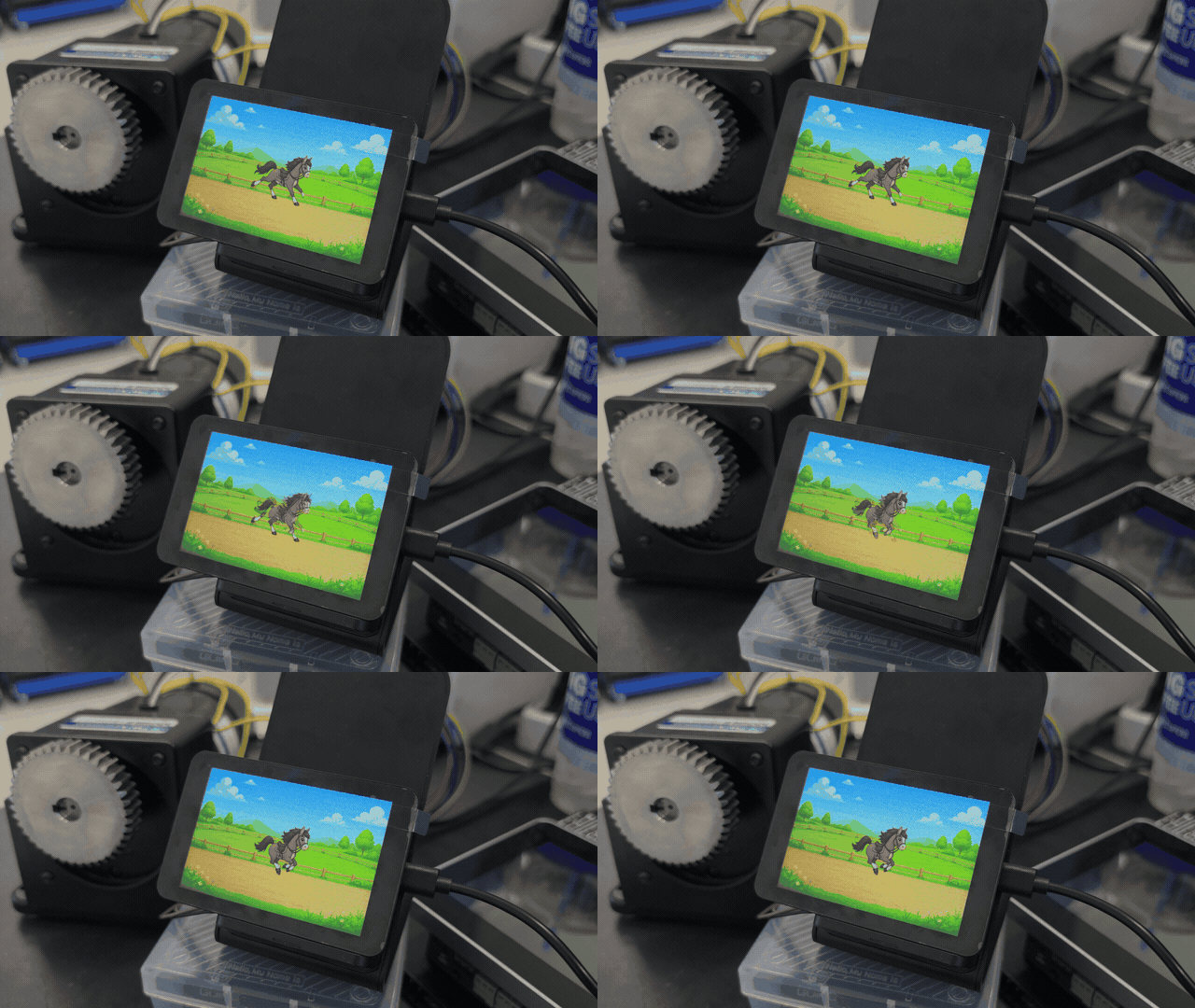
The horse animation running on the RP2350 Touch LCD 3.5
Three images make one motion
Each frame sits on a canvas of the same size, with the horse’s center and ground line aligned, and plays in the order 1 → 2 → 3 → 1. If size or position drifts between frames, the screen looks like it is shaking rather than the horse running, so even the transparent margins have to match.
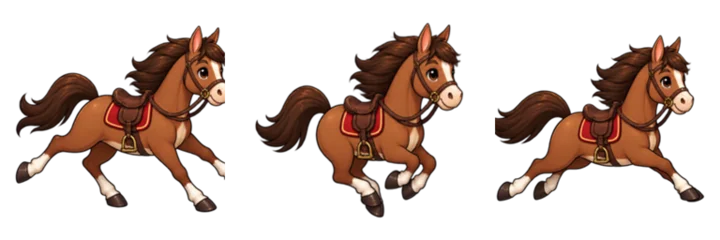
The three horse PNG frames used for the animation
Redraw only the horse’s region, not the whole screen
Clearing the whole screen and redrawing the riding-course background on every frame exposes the transfer in progress and can flicker. Erasing the old horse with plain black, on the other hand, leaves a black rectangle on the background.
This project handles three steps inside the same rectangular region.
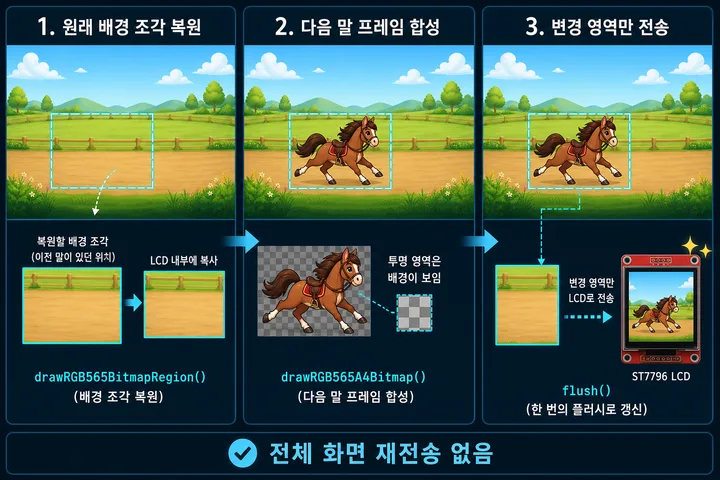
Restore background → composite next frame → send only the changed region
- Redraw the original patch of riding-course background where the previous horse was.
- Composite the next horse’s transparent PNG data on top of it.
- Send only that finished rectangle to the LCD with
flush().
Because the full screen is never resent, there is no torn background and no black box, and flicker drops noticeably.
PNGs become numeric arrays for the LCD
The RP2350 does not open PNG files at runtime. On the PC, each pixel’s color and transparency is converted into numbers ahead of time and stored as C++ arrays in the Arduino project.
Horse frames become HorseAnimation.cpp
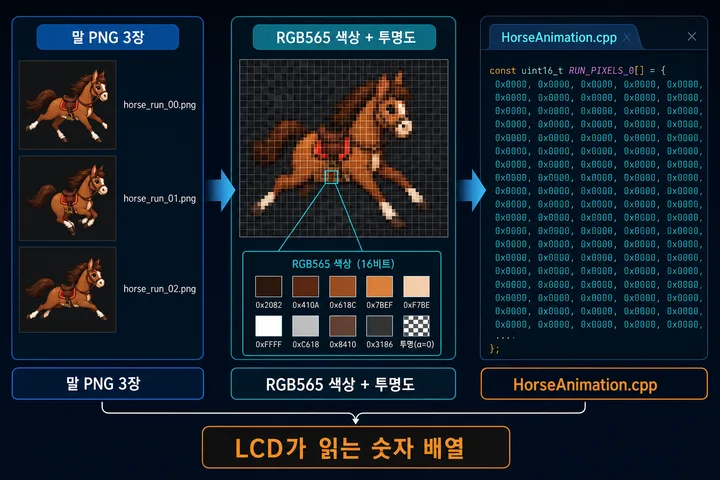
Converting the color and transparency of the three horse PNGs into numeric arrays for the LCD
- Horse colors are stored as 16-bit RGB565 values.
- The transparent area around the horse is stored as a separate alpha value.
- The converted arrays are used as per-frame data in
HorseAnimation.cpp.
The riding-course background becomes BackgroundImage.cpp
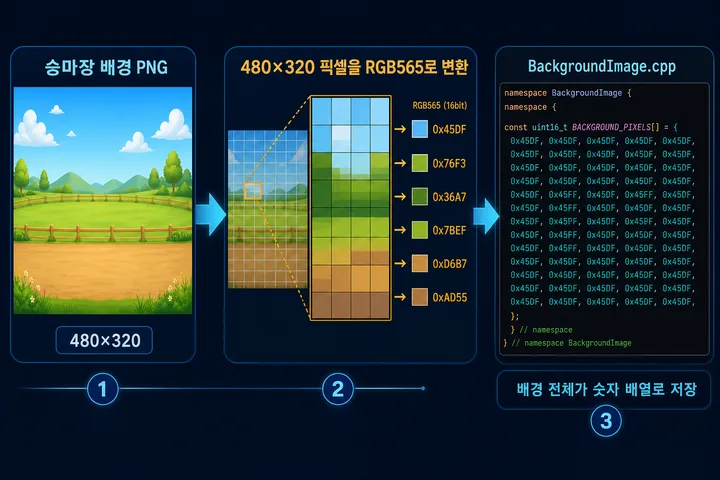
Storing every pixel of the 480×320 riding-course background as an RGB565 array
The background goes through the same conversion. If the riding-course PNG changes, regenerate BackgroundImage.cpp; this is the array the background patch is pulled from when the previous horse position is restored.
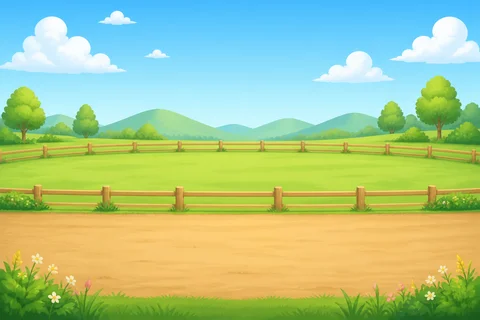
The 480×320 riding-course image used as the animation background
Files the project needs
Copying only the function calls from the main .ino will not work. The files holding the image arrays and the display routines must come along.
HorseAnimation.h/HorseAnimation.cpp— RGB565 color and alpha arrays for the three horse framesBackgroundImage.h/BackgroundImage.cpp— RGB565 array for the 480×320 riding-course backgroundST7796Display.h/ST7796Display.cpp— background patch restore, transparent image compositing, and display transfer
Recap
For a short animation on an RP2350 TFT LCD, aligned PNG frames converted to RGB565 arrays work in place of a video file. Restore the previous frame’s area with the original background, composite the next transparent frame, and send only the changed region. Compared with redrawing the whole screen, flicker is much lower.
Contact
- Email: [email protected]
- Instagram: https://www.instagram.com/going.sen/
- Website: https://intosen.com/kr/consult/
Comments
Enter a nickname to leave a comment, or sign in with Google or GitHub.