
We developed the control system for a food machinery manufacturer’s kimbap robot. The client developed the mechanical assembly, and we supplied the control board, firmware and operator application to suit it.
Different types of kimbap call for different amounts of rice, layer thicknesses and rolling conditions. We developed the movements and adjustments needed for the client’s mechanisms to accommodate these differences.

The machine recording plays at approximately 3× speed.
Adjust rice volume and rolling for each product
From small kimbap to larger kimbap and rolls, rice spreading and rolling conditions can be matched to the product. Length and thickness adjust the size and volume of the spread rice layer. Density and rolling compression provide further adjustments to achieve the desired amount of rice and finished shape.
A change in product also calls for changes in the spreading and rolling movements. Product-specific settings and motion adjustments allow the machine to work under conditions suited to the item being made.
The control board and firmware translate the operator’s chosen settings into mechanical movement. The machine then repeats the operation under those conditions, with further adjustments available as needed to reach the desired result.
A control board and firmware matched to the mechanics
The kimbap robot combines several mechanisms for spreading and rolling rice with sensors that detect machine conditions. We developed the control board and firmware to operate these components in the required sequence.
The control board connects the mechanisms and sensors. The firmware handles movements according to incoming status signals and operating settings. The system covers both individual component actions and the sequence that connects them into a working process.
Developing the board and firmware together let us address the machine’s configuration and motion requirements as a whole. We connected the operator application to this system so that settings, machine actions and status monitoring work together.
Supporting operation and inspection
Our control development also covered checking and inspecting the machine. Individual component tests, sensor status and fault information provide ways to examine its condition.
The operator interface
The interface connects the operator to the control system. It brings together operating settings and status information, with access to device settings. The screens below show the application before and after changes to its design and code; both versions serve the same purpose.
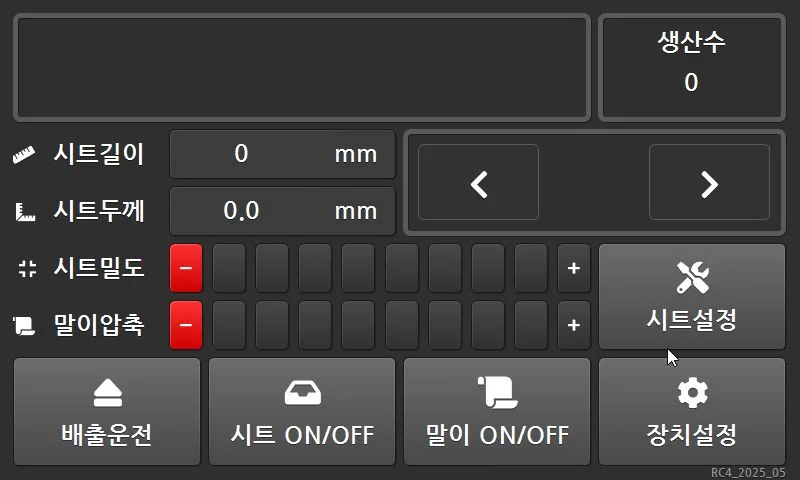
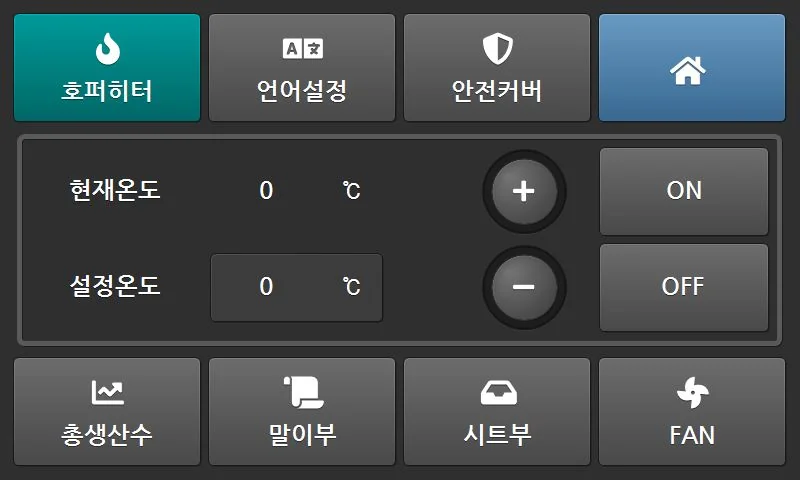
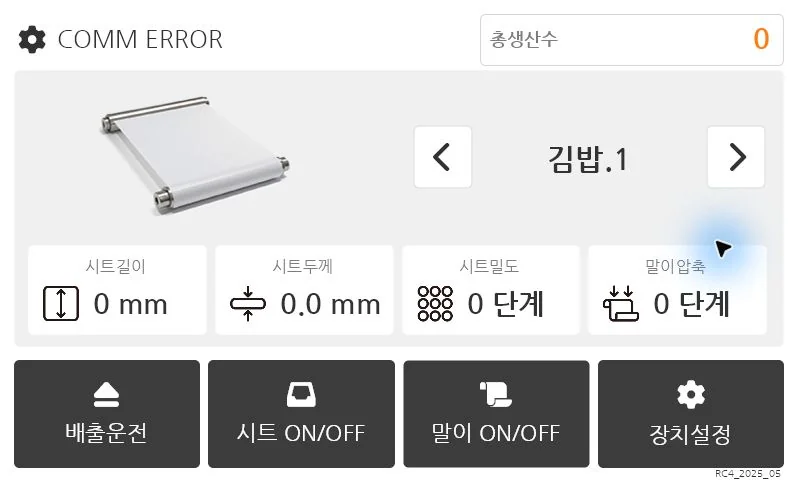
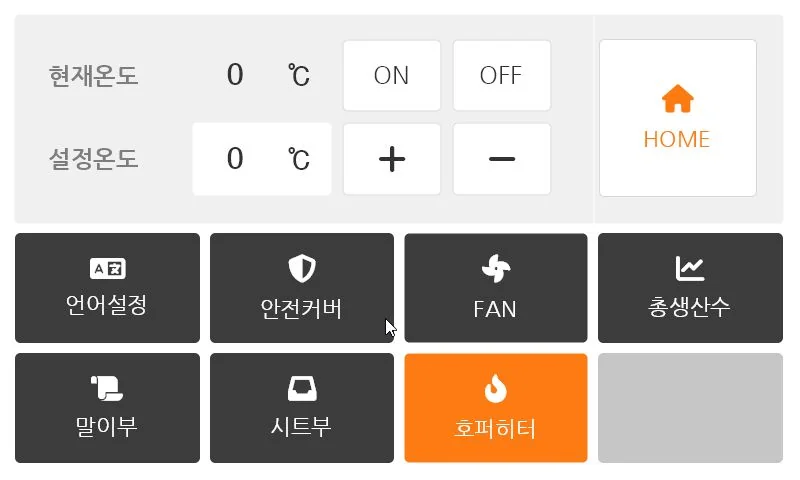
The screenshots show the applications running without communication with the machine. The displayed values are not production readings.
Comments
Enter a nickname to leave a comment, or sign in with Google or GitHub.