
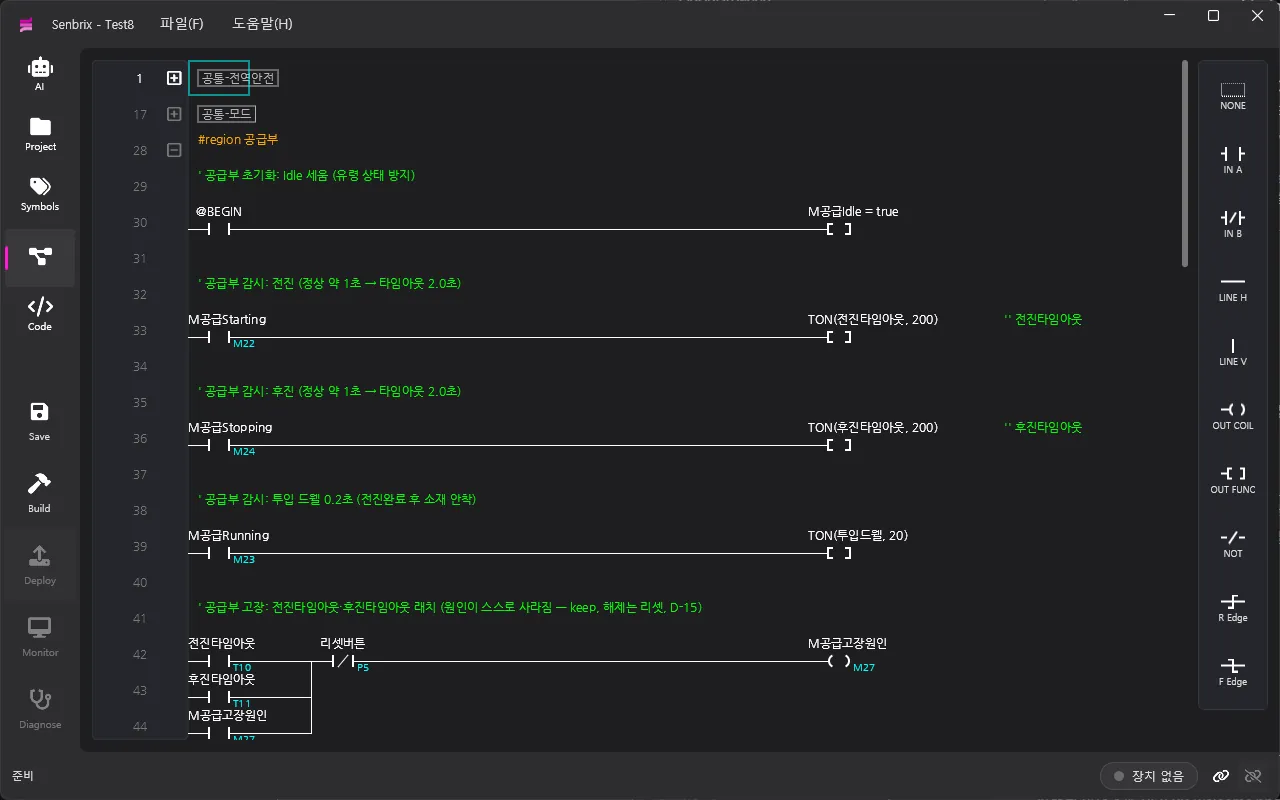
Senbrix lets you use a Raspberry Pi as a PLC. Ladder logic (LD) and hand-written C# live inside the same program, and the build is pushed over the network to the Senbrix runtime on the Pi.
Instead of buying dedicated PLC hardware and a dedicated toolchain, you get the same job done with a standard board and .NET. The deployed program runs on a 10 ms scan cycle, and the connection you deployed over is also the one you monitor and diagnose through.
Ladder and C# in one program
Sequencing and interlocks are easier in ladder. Shuffling a deck or tallying a score is easier in C#.
Senbrix does not make you pick. Both end up inside a single partial class App, and symbols you
define for the ladder show up in C# IntelliSense.
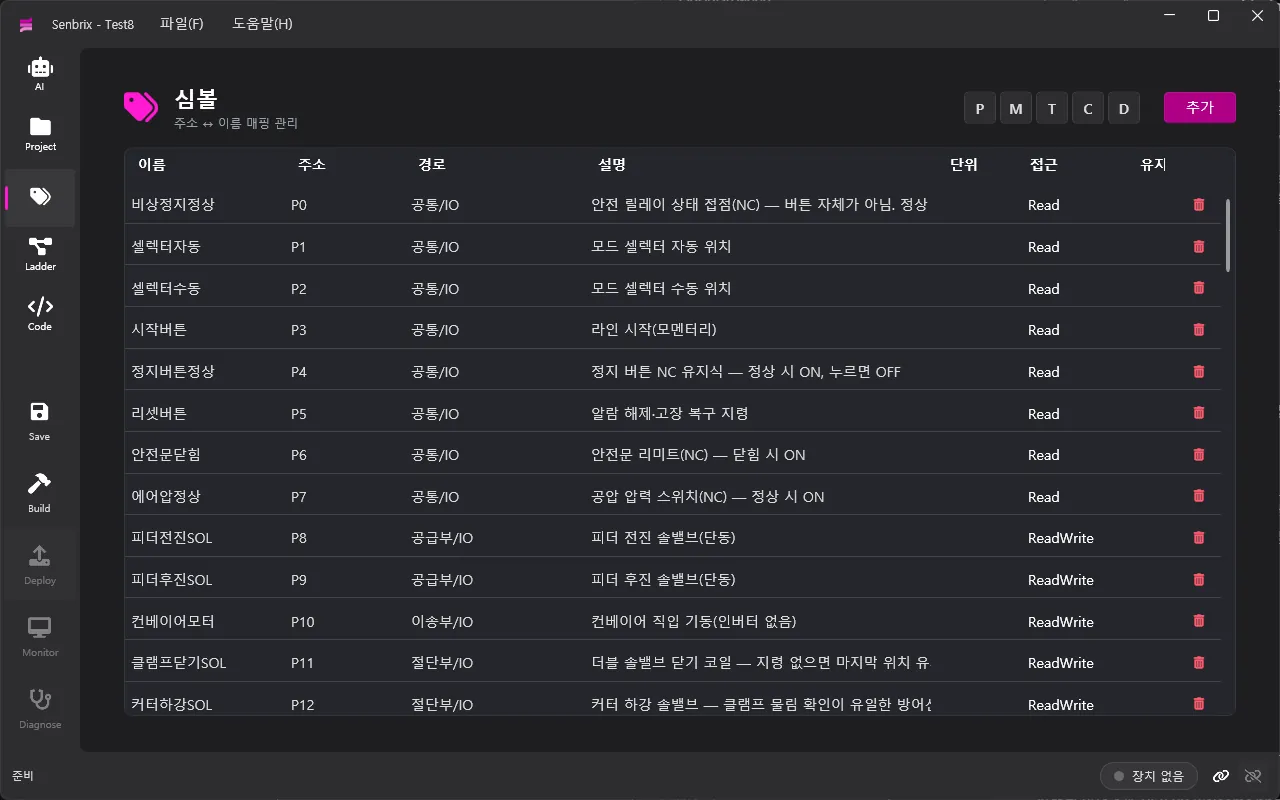
A symbol is a name attached to an address like P0, M10 or D127. Each one carries a
description, a unit and an access level. Mark a symbol as keep and the runtime saves its value,
then restores it after a reboot.
The ladder editor handles contacts, coils, functions (TON, TOFF, CTU, CTD, MCS and the rest), parallel branches and edge detection. Every save runs a static lint pass that looks for duplicate coils, broken rungs, latches nothing ever resets, counters with no reset, undefined names.
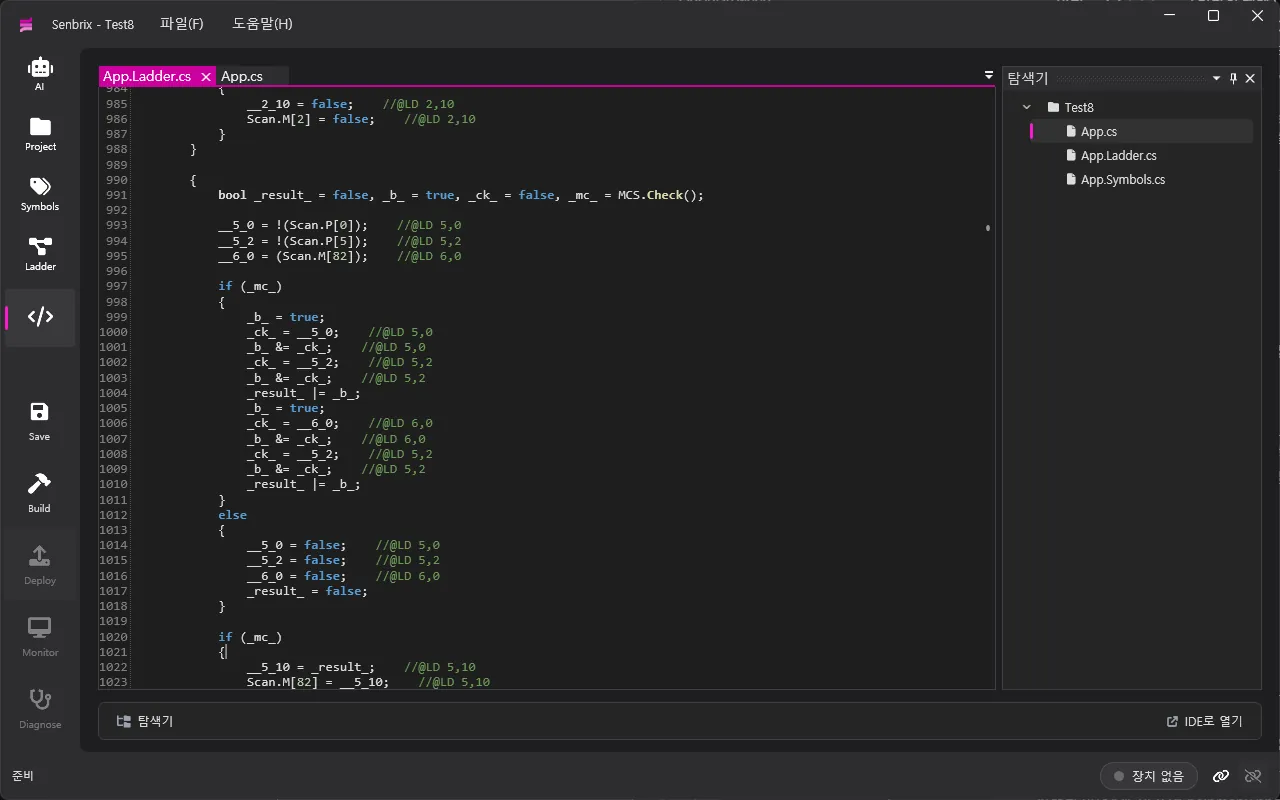
C# goes into Setup() and Loop(). It reads and writes the same memory as the ladder
(P, M, T, C, D, WP, WM) and uses the same symbols, but runs in a task separate from the
ladder scan. Write something heavy and the 10 ms cycle stays deterministic.
PID with an autotuner, filters, flow metering and FFT ship as default references.
Editor, runtime, simulator
Senbrix comes in three pieces, installed and released separately.
| Piece | Runs on | What it does |
|---|---|---|
| Editor | Windows PC | Edits ladder, symbols and C#. Lints, builds, discovers runtimes, deploys, monitors, diagnoses. Hosts the MCP server |
| Runtime | Raspberry Pi | Runs the deployed app on a 10 ms scan cycle. Lives as a systemd service, saves and restores keep memory, drives the IO boards and Modbus |
| Simulator | Windows PC | Takes a deployment in place of a Pi. The editor sees it as just another device |
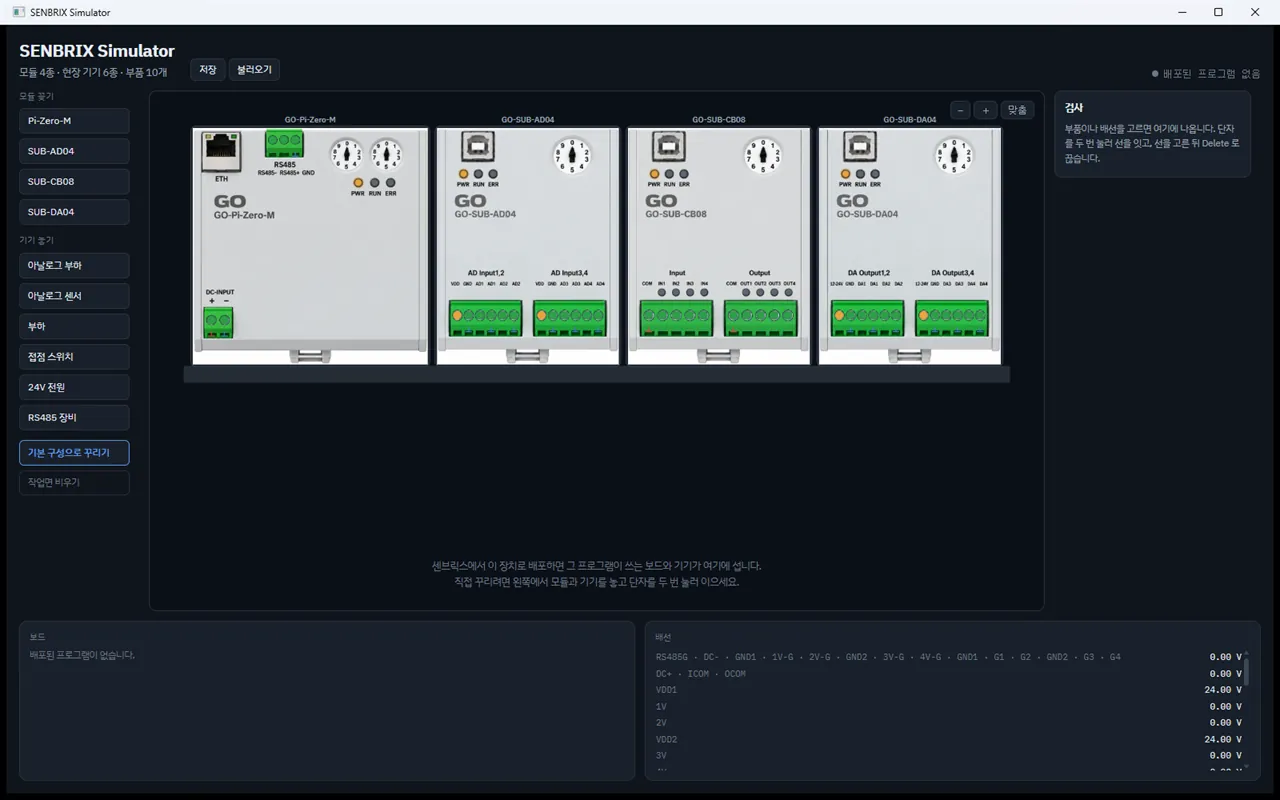
The simulator is not a reimplementation. It carries that version of the runtime inside it, so the scan cycle and the board drivers are the real ones. The only difference is the path the boards talk over.
Deploy to it and the modules your program uses snap onto the rail on screen. Switches, sensors and indicators appear per channel, wiring included. The names you gave your symbols become the labels on the devices, and the units come along with them.
Build it, deploy it, watch it
Each build regenerates C# source from the ladder and symbols, then compiles with dotnet build.
What comes out is an ordinary .NET project, not some proprietary bundle. When the compiler
complains, Senbrix points back at the ladder cell responsible.
Deployment is one click to a runtime found over mDNS. Same network, no IP address needed.
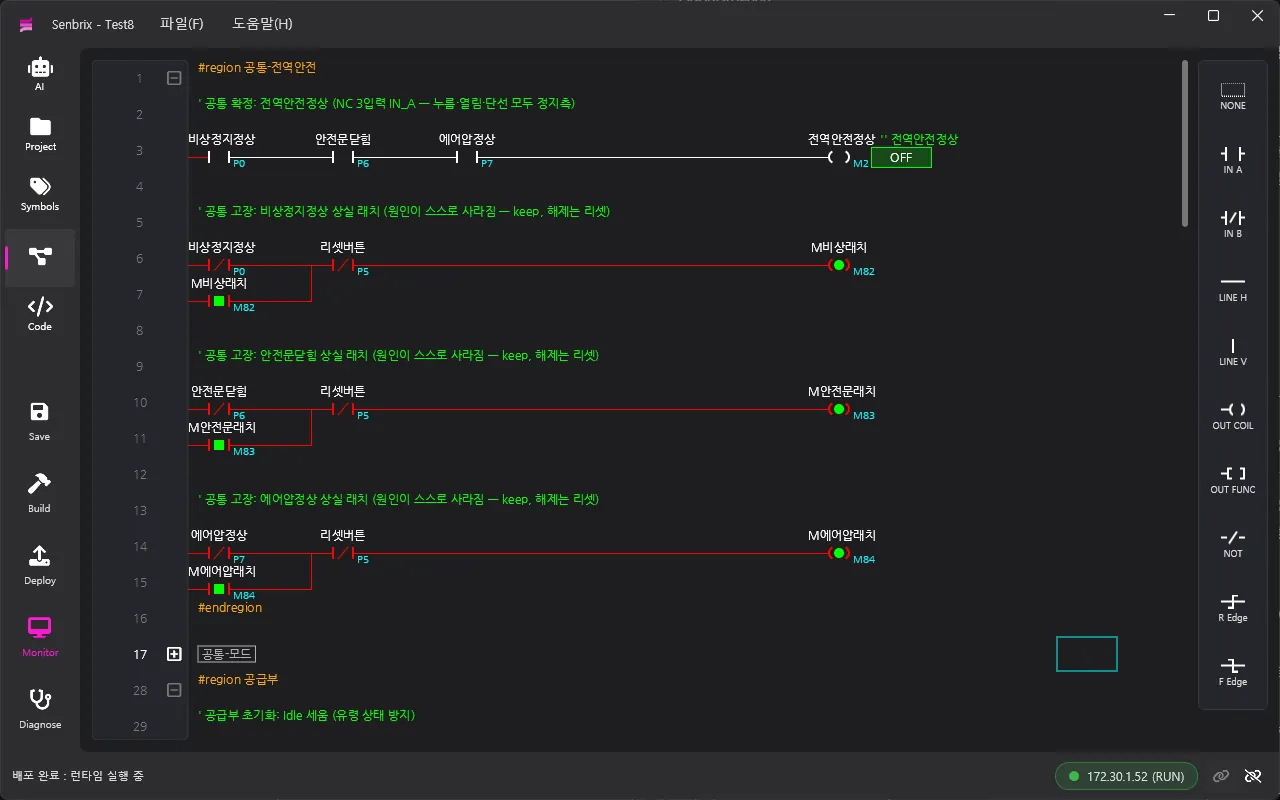
Monitoring paints contact, coil, timer and word values straight onto the ladder, so you can follow where a rung stalled with your eyes.
Diagnostic mode lets you force or write values, and that part is deliberately fenced in.
Hardware and communication
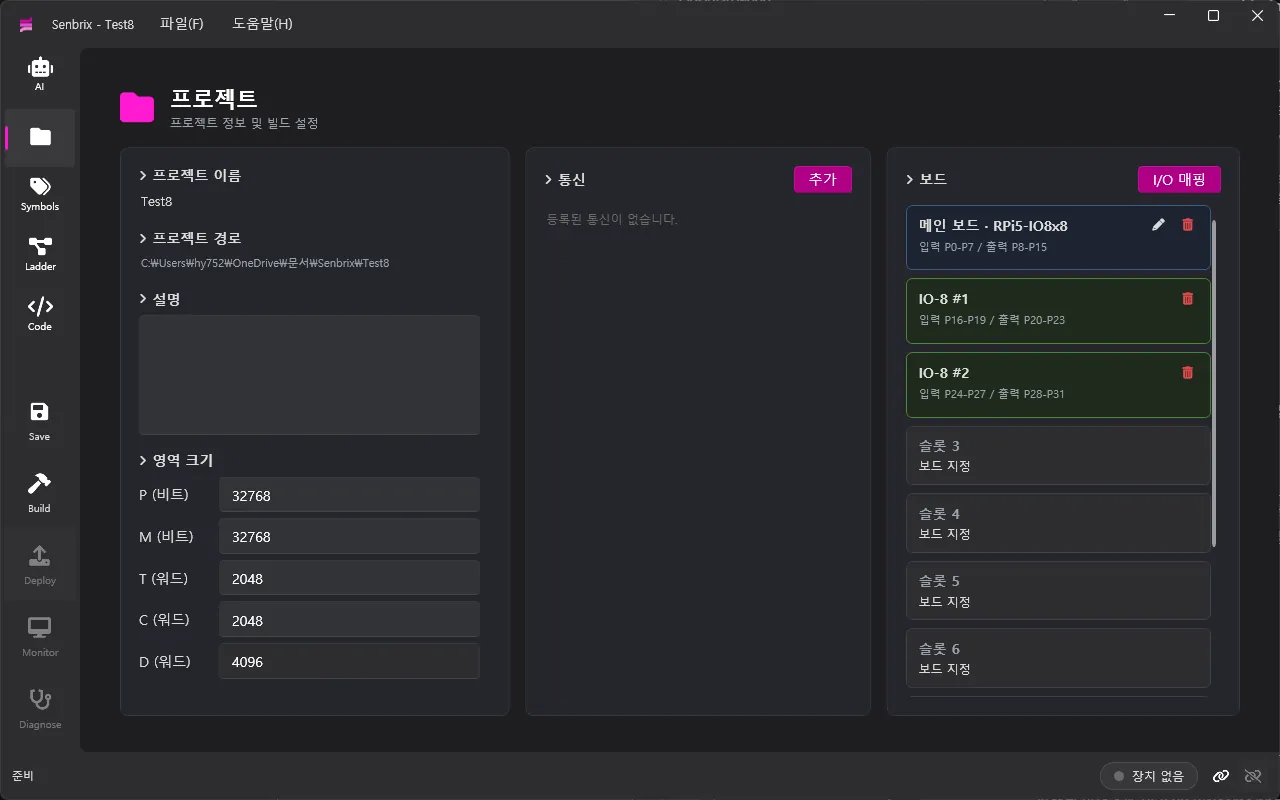
Carrier board GPIO is defined in XML and mapped to IN and OUT slots. CAN bus IO expansion boards attach by number. The ZPi-IO8R carrier board — a Pi Zero 2 W with four opto-isolated inputs and four relay outputs — ships as a built-in definition you can pick from the list.
Whatever board layout you build gets saved with the project, and the runtime reads that same layout. The expansion lineup and DIN rail options are covered separately in DIN Rail Modular IO.
Communication is Modbus RTU/TCP. As a slave, PLC memory is exposed directly. As a master, you read and write remote devices through a monitor table (polling blocks) and a bind table that maps remote registers to local ones.
AI builds alongside you
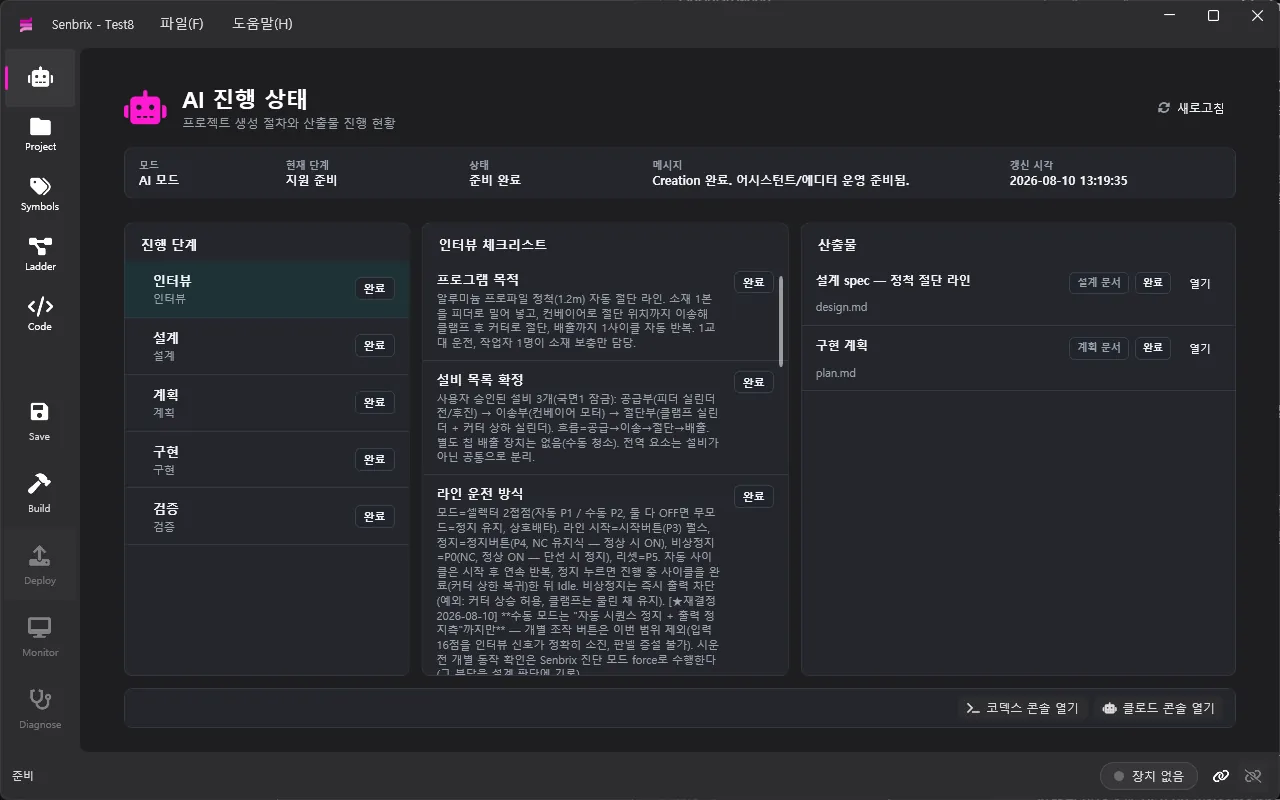
Senbrix embeds an MCP server. AI coding tools such as Claude Code or Codex can read and write the ladder, symbols, communication settings and board configuration through tool calls, then build and deploy.
The stages run interview, design, plan, implementation, verification, and the editor’s AI page tracks where you are and what came out of each one. In diagnostic mode, the AI is held to the same allowlist you are when it reads runtime values and experiments.
Building ladder and HMI screens together with AI is covered in PLC Ladder and HMI Screens With AI.
Getting started
| Part | Requirement |
|---|---|
| Editor PC | Windows 10/11 x64. You install the .NET 9 SDK yourself |
| Runtime device | Raspberry Pi running Raspberry Pi OS 64-bit, on the same network as the editor |
| Simulator | Windows 10/11 x64. Runs without an install |
Grab Senbrix-win-Setup.exe from the
latest release and run it. It installs
under your user account, so no administrator rights are involved.
Three kinds of release land on that page. vX.Y.Z is the editor, runtime-vX.Y.Z is the Raspberry Pi
runtime, sim-vX.Y.Z is the simulator. The one tagged latest is always the editor.
For a project that put all of this to work, see Senbrix, a Raspberry Pi PLC — analog IO, digital IO and communication running together in one project, proven out on an arcade cabinet.
Write in ladder where ladder fits, and in C# where it does not. Try it on the simulator before the hardware arrives, and keep diagnostics narrowed to the addresses you opened. The point is to spend your time on what you are building rather than on which notation to build it in.
If you want to know more about Senbrix, or you are weighing it for a site, get in touch.
Contact
- Email : [email protected]
- Insta : https://www.instagram.com/going.sen/
- Website : https://intosen.com/kr/consult/
Comments
Enter a nickname to leave a comment, or sign in with Google or GitHub.